Toshiba service Brisbane
Toshiba Photocopier & Printer Service in Brisbane
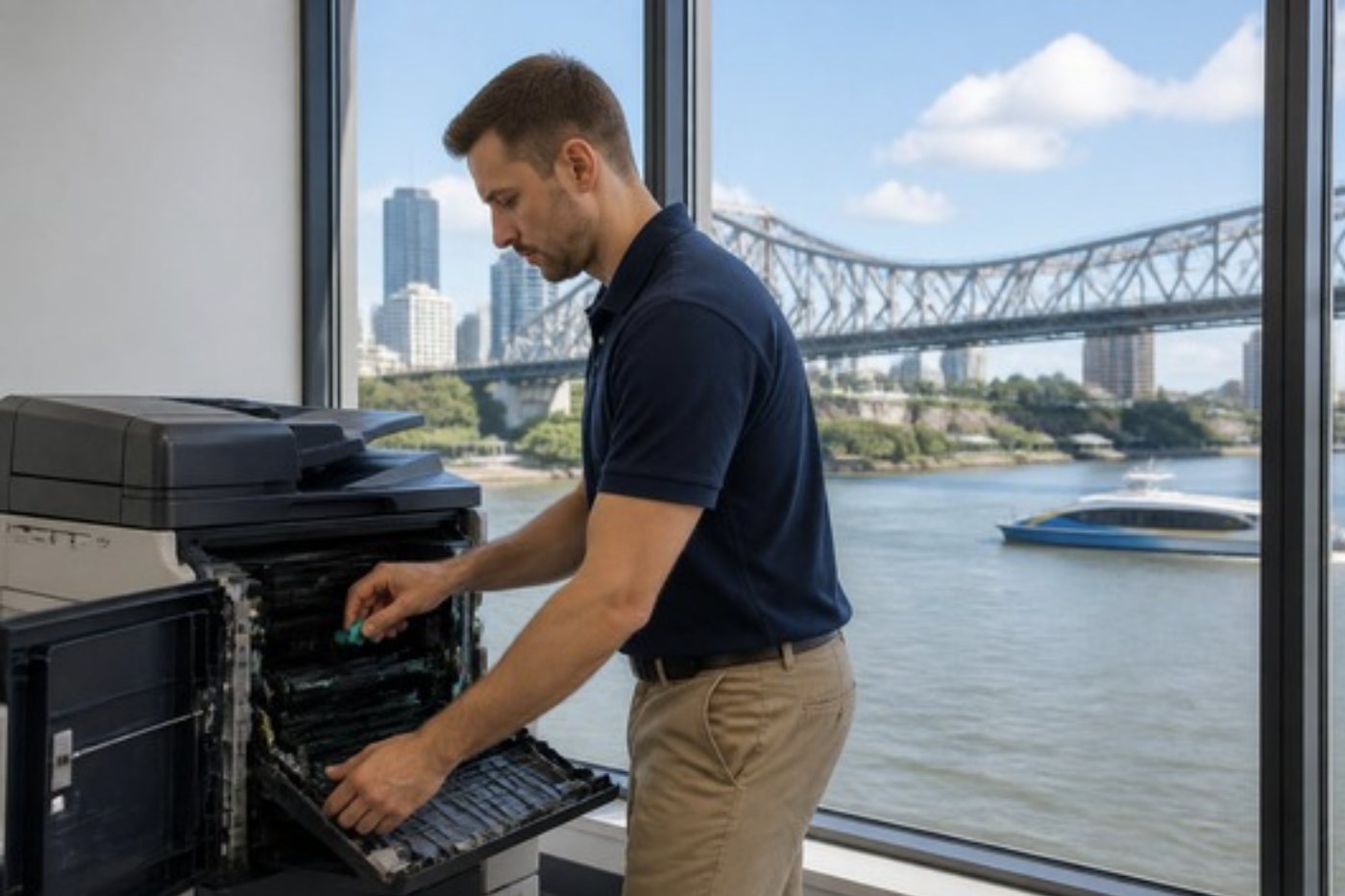
Toshiba e-STUDIO machines draw more of our phone calls than any other copier, and the opening is nearly always the same: a grey panel, Call for Service, and a code that begins with C. Give us the code, the model from the front cover, and what the machine was in the middle of. From that we can say what the fault usually means on that model, settle a price before anyone is booked, and send a technician who has been inside one before. Same day service is available. The work is done wherever the copier stands, be it a Newstead fit out, a shed office at Rocklea or a fourth floor records room.
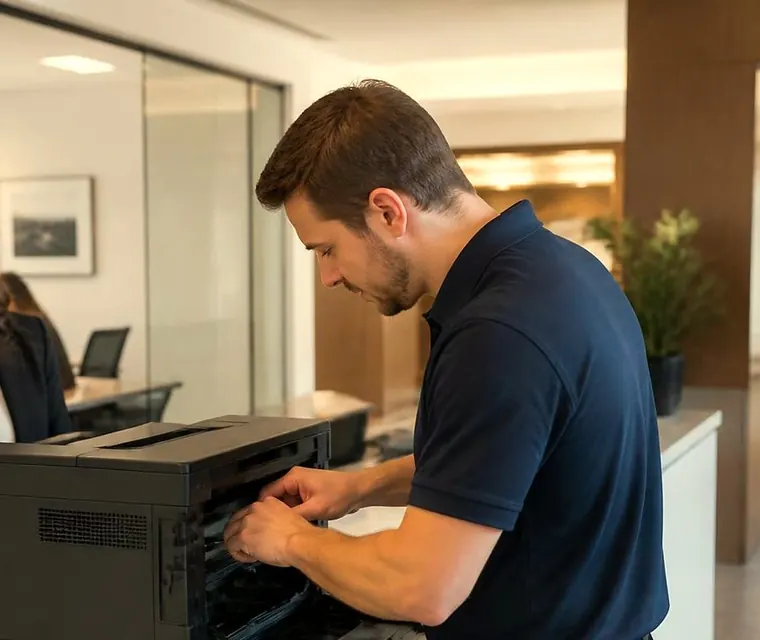
Brisbane printer service and photocopier repairs, plus machine sales
Toshiba photocopier service in Brisbane, and who is on the other end of the phone
Plenty of Brisbane offices have a Toshiba nobody chose. It came with the lease, or with the building, or with the accountant who moved out and left it in the corner of the print room. It works, mostly, and then one Monday it does not. That is when you ring a Toshiba photocopier service business, and what you want is a person who asks the right three questions before they say anything else.
Ours are simple. First, which model is on the front cover. Second, the exact words on the screen. Third, what the copier was doing at the moment it quit. Those three answers usually tell us whether we face a ten minute job, a part already on the van, or something that has to be ordered. The price comes up during the call, and nobody is booked until you agree.
Our business is independent. There is no Toshiba badge on us, we are not a Toshiba dealer, and no manufacturer scripts what we say about your machine. Owners tend to like that, because the e-STUDIO you already have is the one we want to keep going.
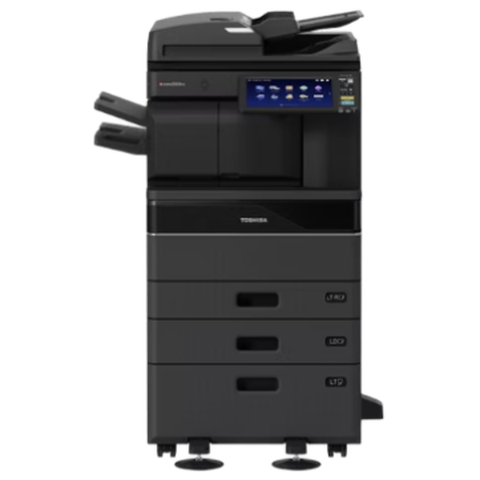


Three steps to a price
- Name the machineMake, model and the trouble it is giving you.
- Hear the price firstWe ring you back with it before a visit is booked.
- A certified technician attendsSame day wherever the diary allows.
Badge first, brand second
Ask five people in an office which Toshiba they have and you get five answers: the big one, the grey one, the one by the window, the new one, the one Gary fixed. None of those helps a technician pick parts. What helps is the plate on the front cover, an e-STUDIO followed by digits and then one or two letters.
The letters matter more than they look. A trailing AC marks colour, while a lone A marks black and white, and that one letter reshapes the visit. A colour machine has four toners, four imaging stations and a transfer belt where the colours meet, so a fault can show in a single colour. Mono machines give a fault fewer places to hide, and the investigation usually runs shorter.
The digits give you the speed class and the generation. A 4515AC sits well above a 2515AC, and both belong to a different generation from a 4505AC, even though they look alike across a room. If the plate has worn away, the serial number on the back panel does the same job.
Toshiba families we are asked about most
This is the working list for Brisbane fleets. Earlier ranges are labelled as such. If your badge is missing, ring with the wording on it and the family gets confirmed on the call.
| Family | Models | What we see |
|---|---|---|
| e-STUDIO2000AC and 2500AC | 2000AC, 2500AC | Entry level A3 colour with LED print heads, 20 pages a minute on the 2000AC and 25 on the 2500AC, for small front offices. The short paper path means one curled sheet or a nearly empty tray soon becomes a jam. |
| e-STUDIO2021AC and 2521AC | 2521AC, 2021AC | A3 colour in a compact build for small teams. Same pattern: jams first, then drawer and feed roller wear. |
| e-STUDIO2505AC to 5005AC | 5005AC, 4505AC, 3505AC, 3005AC, 2505AC | Colour A3 workhorses of their day, from 25 up to 50 pages a minute, used by workgroups scanning to folder and email. A lot of them are still working hard. |
| e-STUDIO2515AC to 5015AC | 5015AC, 4515AC, 3515AC, 3015AC, 2515AC | The generation after the 505s. Same roles, newer panel and security features. |
| e-STUDIO2525AC to 6525AC | 2525AC up to 6525AC | A3 colour in one wide family, 25 to 65 pages a minute. Colour drift and single colour marks. The faster ones lean hard on the fuser. |
| e-STUDIO2528A to 6528A | 2528A up to 6528A | A3 black and white from the same generation. Records rooms, print rooms and busy back offices. |
| e-STUDIO5506AC to 7506AC | 5506AC through 7506AC | Heavier A3 colour for departments that finish documents: stapling, booklets, hole punch. Finisher faults are most of the calls. |
| Older e-STUDIO mono and colour | e-STUDIO 165 to 223 generation, and similar | Still in the back rooms of Brisbane. Parts availability decides whether we repair or talk replacement. |
Toshiba publishes full specifications for every one of these and we do not copy them. What we add is how each one tends to behave after a few years in a Brisbane office.
Call for Service: what the code is and is not
A stopped Toshiba shows Call for Service with a code at the right of the touch panel. The code is the letter C followed by three characters, and the characters can be letters as well as digits. You see C260, C411, CB10, CA20, C4D0. The handbook sorts them by area: the copy process and the fuser, paper feeding and the drive, scanning, communication between boards, the laser optics, and finishers, which are tagged by their own model numbers such as MJ1101 or MJ1030.
A code is a pointer: it names the part of the machine that noticed the trouble, which is not always the part that caused it. A lamp reads as dead when the wire to it has loosened, a motor reads as seized when the connector is half out. Code meanings can also shift between families, so we match your model before we say what a code means.
Toshiba advises noting the code and handing the repair to a technician. We agree, with one addition: switch off, wait until the screen is fully dark and switch on again, once. If the code clears, tell us anyway. A restart that works once is a pause, not a repair.
Codes people read us down the phone
These come up most often. Each entry gives the area a code points at, not a diagnosis, and the model decides the rest.
- C040 points to the pedestal feed motor, which is not turning as it should. A connector or a stiff drive is the usual story.
- C130, C140 and C180: tray up motor faults for drawer 1, drawer 2 and a large capacity feeder. A drawer overloaded past the stack mark is a regular cause.
- C260 means the exposure lamp failed to pick up its white reference at power on. Look at the lamp or LED unit, a stain on the shading plate, a smudged mirror or a harness that has worked loose.
- C280 means the scanner carriage failed to reach its home position in time.
- C370: a transfer belt motor fault in the copy process group.
- C410 and C411: heater or thermistor trouble at power on. The thermistor, a broken heater, a blown thermostat or a connector, and sometimes the logic board.
- C447 and C448 are heater lamp faults, raised either once the machine had reached ready or while the lamp was on.
- C4B0 is a mismatch in the fuser counter, typically after a fuser change where the counter was never reset. C4D0 is a thermopile fault on the fuser belt.
- C550 means the document feeder lost contact with the scanner, through a cable, a connector or a board. C570 covers communication between engine and board, and C580 the link from board to finisher.
- C970 is leakage on the main charger, so the charger itself, the high voltage transformer or dirt near either is suspect.
- CA10 and CA20: laser optics. Either the polygon motor is not spinning or the beam was not detected.
- CB00 is a finisher that is not connected or not talking. CB60 is the staple motor and CB80 the stapler home position. On a saddle stitch unit, CBE0 is the folding motor. CC10 is the finisher door switch.
Older machines and some A4 models show shorter or different codes. The C44 fuser error on the 165 to 223 e-STUDIO generation, for one, is its own animal. Ring with the exact characters and the model, and we will say which list applies.
Toner that smears, creased pages and the fuser
If you scrape a printed page with your thumbnail and the black comes away, the toner is usually fine. More likely the fuser is failing to hold heat or pressure evenly, or the paper type selected on the machine disagrees with what sits in the drawer. Creased pages, or a whiff of warm plastic, lead to the same suspects.
Brisbane makes this worse. A copier in a corridor that sat at thirty degrees all afternoon works nearer its limits than an identical machine in an air conditioned room, and a tired fuser shows it first. Before blaming the part we check the paper setting and the paper itself, because a fuser costs real money and we would rather fit one that was needed. When it is the part, we look at the belt surface and its edges, the heater lamp, the thermistor and the connectors as a set, not one at a time.
A fuser change also needs its counter handled properly, which is where a C4B0 comes from when a rushed job skips it.
Marks that repeat
A mark that returns every so many centimetres comes from a surface: some roller, or the drum, carries a nick, a dent or a streak of dried toner, and each rotation stamps it again. Lay a ruler on a bad page and measure the gap between marks. Give us that distance on the phone and the parts list shrinks before we leave the depot.
The drum is light sensitive. It is also why a Queenslander converted to offices is a poor place to leave one on a desk. A drum left open under a bright window in January can pick up damage that shows on every page for the rest of its life. Ours stay wrapped until the moment they are fitted.
What stops a Toshiba, and where we look first
What shows at the desk, listed roughly by how often we are called out for it.
- Smeared or flaking toner, creased pages, or a Call for Service code starting C4: the fuser area. Belt or roller, heater lamp, thermistor, connectors.
- Streaks, lines, a faint print or a repeating mark: start with the drum, its cleaning blade and the transfer belt cleaning assembly. On small LED machines, a dirty LED print head is a candidate. Toshiba advises cleaning the LED head or slit glass each time the waste toner box is changed.
- Background toner, streaks in one colour or marks on the reverse of the page: look at the transfer belt and how it is cleaned.
- A drawer that refuses to rise, or a pedestal or large capacity feeder message: the tray lift motor or its mechanism, often after an overloaded drawer.
- A jam that lands in the same place every time. Bigger machines list thirteen jam locations. The usual causes are a paper size that disagrees with the drawer setting, damp or stuck sheets, paper stacked above the mark, or a gap between paper and guides. Setting before roller.
- A scanner that fails at power on with a lamp or peak detection message: check the exposure lamp or LED unit, then the shading plate and mirrors for stains, then the harness.
- A finisher that has stopped communicating, or a staple that will not fire: the connection, the stapler unit, a staple jam or a door switch.
- The full waste toner message right after a change: the container not seated, a sensor misreading it, or toner leaking into the waste path. Another container fixes none of those.
The order of checks on a Toshiba that has gone quiet
Cheap checks come before expensive ones, and we try to do the same on the phone as on site.
One, the panel message exactly as shown, with the C code and its characters. Two, paper and tray: right size loaded, guides snug, a ream that is neither damp nor curled. Three, the visible path: rollers, the duplex unit and the fuser exit for scraps of paper or a worn surface. Four, consumables in their places: toner colours, waste toner container, drum area. Only then the parts that need covers off, followed by a test print on your own paper.
Most of the time the answer is found in one, two or three, and the technician is simply faster at reading them.

Scanning, TopAccess and the machine that is not actually broken
A Toshiba on the e-BRIDGE platform is closer to a small computer than a machine with rollers. It has address books, sign in settings, memory and storage, and its administration happens in TopAccess, the machine's own web page. Many of our Toshiba calls turn out to have no mechanical cause. Friday's scan fails on Monday because a server name was altered, a password lapsed, or the IT provider relocated a share.
Scan to email depends on an SMTP configuration supplied by your administrator, with authentication turned on if the mail server asks for it. An attachment over the maximum size is silently not sent, and that surprises people who scan long colour documents. Scanning to a network folder is what Toshiba calls Save as file. It speaks SMB, FTP and FTPS, and over SMB the machine needs folder login details that remain valid. USB scanning requires one partition formatted as FAT16 or FAT32, with Save to USB Media enabled by the administrator.
The shared folder on the machine's own drive stops at 2,000 files. A busy office reaches that limit quietly, and a scan that goes missing is the first sign.
The AC range takes security seriously. Drives encrypt themselves, sign in can scale to thousands of users, and newer machines add card and PIN access, secure print release and roles. All of it is configuration, and configuration drifts whenever someone in IT changes something nearby. We check the destination, run a test send at the machine, and list what your IT contact needs to confirm. Should the answer sit with the network, we say that plainly and do not bill you for hunting a fault the copier never had.
Finishers, feeders and extras
Finisher errors send people to the worst conclusion. In practice a staple jam, a door switch that did not close or a connector that worked loose is more likely than a failed board, so seating, the cartridge and the door actuators come first.
- A 50 sheet stapling inner finisher is offered on the e-STUDIO2000AC and 2500AC, and on the 2505AC through 3505AC.
- For the e-STUDIO5506AC to 7506AC range: staple finisher MJ1111 (50 sheets), saddle stitch finisher MJ1112, hole punch MJ6106 and a side exit tray, KA6551.
- Service histories sometimes carry the older tags MJ1030, MJ1031 and MJ1101, and knowing them lets us name the unit correctly on the phone.
- Reversing and dual scan document feeders, the latter holding 300 sheets.
- Paper feed pedestals and extra drawers, an envelope cassette, and on some models a 2,000 sheet tandem tray or a large capacity feeder.
- Fax unit GD1370, a job separator, a bridge unit, and on the larger range a wireless LAN and Bluetooth module.
What wears out, and what a visit includes
Nothing about wear on an e-STUDIO is a surprise. Fuser belt and heat roller first, with the felt pad and lube sheet that go with them. Then the drum cleaning blade, the drum itself, the transfer belt and the unit that cleans it. Small LED machines add their print heads, and every model has pickup, feed and separation rollers that wear in their own quiet way. A full waste toner box shows Dispose of used toner on the panel, and the staple cartridge reports empty and jam conditions of its own.
A visit covers the fuser belt surface and its edges, the sound of the drive, contamination around the drum, cleaning of the print heads or slit glass, every drawer lift, and the feed rollers in each tray and the document feeder. Test prints come last, on your own paper, followed by a scan and, where a finisher is fitted, a stapled set.
We publish no part lives. Volume, paper and the room decide them, and a number on a web page would only start an argument. The common spares are carried on the van, so most Toshiba jobs are done in one visit: 98% are fixed first time. Should the same fault return, we fix it again free.
Toshiba service around Brisbane
The mix changes from suburb to suburb. In the CBD, Spring Hill and the Valley, e-STUDIO machines sit in legal, planning, finance and design offices, many on upper floors, so on a tower job the first question concerns the lift booking and the loading dock. In Milton, Toowong and Indooroopilly they work in practices and consultancies, and in converted Queenslanders the copier is often in the old hallway or a back bedroom with the afternoon sun on it.
Rocklea, Acacia Ridge, Archerfield and Darra use them for job sheets, delivery dockets and shipping paperwork, and the trouble there is dust, plus paper that spent the summer in a steel shed. Eagle Farm, Hemmant and Murarrie are warehouse and distribution country, where a copier is a tool like any other in the building. Springwood, Underwood and Browns Plains on the Logan side run them in schools, clinics and trade offices. Further out, at Ipswich, Redcliffe, Caboolture and the Redlands, customers say one call that settles the whole job beats three separate visits.
Storm season is its own thing. A brownout leaves a copier sulking, a power surge can take out a board, and a machine from a room that flooded in a past event should be inspected thoroughly before anyone relies on it again. If you are asking whether yours survived, phone and tell us what it does when you switch it on.
Colour that has wandered
A colour e-STUDIO that printed a neutral grey in March can be printing a faint magenta cast by October. Nobody noticed day to day. Then somebody lays last year's brochure next to this year's and the room goes quiet.
Drift has a short list of causes. The developer in one station is tired. Nobody has run the calibration since the machine moved. Paper has taken on damp in a wet summer, or somebody changed brands of A4 without telling the machine. Running the calibration costs nothing and comes first. If the cast stays, we find out whether it is one colour or all four. One colour points at that station's drum, developer or print head. All four point upstream, to the paper, the belt or the fuser.
A school newsletter can live with a small cast. A property agent's printed appraisal or a planner's presentation board cannot, and we set how far we chase it by what the pages are for. Ask us.
Duplex, bypass and the paper that came from the cupboard
A good number of Toshiba jam calls start with the paper and not the machine. The ream came from a storeroom with no air conditioning. It sat on a concrete floor in a shed through February. It is a different weight from the last lot, or a recycled stock with a lot of dust.
The duplex unit takes the worst of it, because a page that already went through the fuser comes back dry, slightly curled and a touch warm. If jams cluster on the second side of two sided jobs, we look at the reversing path and the duplex rollers. If they cluster in the bypass tray, usually the problem is envelopes or labels, and a setting the person at the desk can change. Paper type set to match the stock does more good than people expect.
Keep paper flat, wrapped and off the floor until the moment it goes in the drawer. It sounds like a nag. It saves more jams than any part we fit.
More than one Toshiba, more than one site
A firm with a copier at Newstead, another at Capalaba and a third at a yard in Wacol does not want three conversations. We keep a record for each machine, the fault, the cause, the part fitted and the meter reading, so the next technician starts from that note and not from nothing. It also settles arguments. A drum fitted in March that fails in May is on the record, and the repeat is on us.
If you run several machines we can talk through a planned approach with meter based billing, so one call covers the lot and the preventative visits catch the roller before it starts marking pages. Ring and describe your mix of models, and we will explain how we would handle it. Coverage comes first, and we would rather add a visit than miss a machine.
Card readers, PIN codes and the machine that locks people out
Plenty of Brisbane offices now put a card reader or a PIN code on the front of the copier, either to stop stray printing or because a contract with a client demands it. Done properly it works quietly for years. Then the directory changes. Someone departs, an account gets renamed, or the server holding the user list is swapped out, and half the floor finds itself refused at the panel by a message that reads like a copier fault.
We start at the settings. Which server does the machine ask, is its account still valid, and is the clock close enough to the server's for sign in to succeed. Time drift catches people out more than anything else. A reader that has gone dead is a separate and much simpler problem: a loose lead, a USB port, a reader that has been knocked.
Secure print release, in which a job sits on the machine until its owner taps a card, is a favourite in clinics and legal offices. When jobs seem to vanish, the cause is usually a retention limit or a user who printed under two different names. We say so and show your administrator where to look.
Old e-STUDIO, new decision
Birthdays do not settle this. Page count does, along with whether parts are still obtainable and how the faults are spreading. A steady old e-STUDIO with a single tired roller almost always repays the repair. One that has needed a fuser, a drum, a drive repair and a finisher inside twelve months is telling you something different.
Where a repair makes sense, you hear what it involves and what it costs before any work starts. Where it does not, you hear that as well. Our trade in machines means an honest comparison can come from the same people: a refurbished e-STUDIO that has passed through our hands, a newer one, or a trade for the old one. The repair advice stays apart from that talk. A lost sale is better than a good machine on the scrap heap or a bad one on life support.
Two minutes before you ring about a Toshiba
A short call saves a wasted visit. With these to hand, we can usually put a price on the job before you hang up.
- The model name on the front cover, or the serial number if the lettering has worn off.
- The panel message word for word, including any C code.
- The job it was in the middle of, whether printing, copying, scanning or stapling.
- Whether the fault hits one person or the whole office.
- Recent changes of any kind, such as new paper or toner, a move, network work or a storm.
- Which building and floor, plus access rules like a lift booking or a sign in desk.
A busy line means the call is logged and returned. You commit to nothing, and nobody is booked until the price is agreed.
The four stages of a Toshiba visit




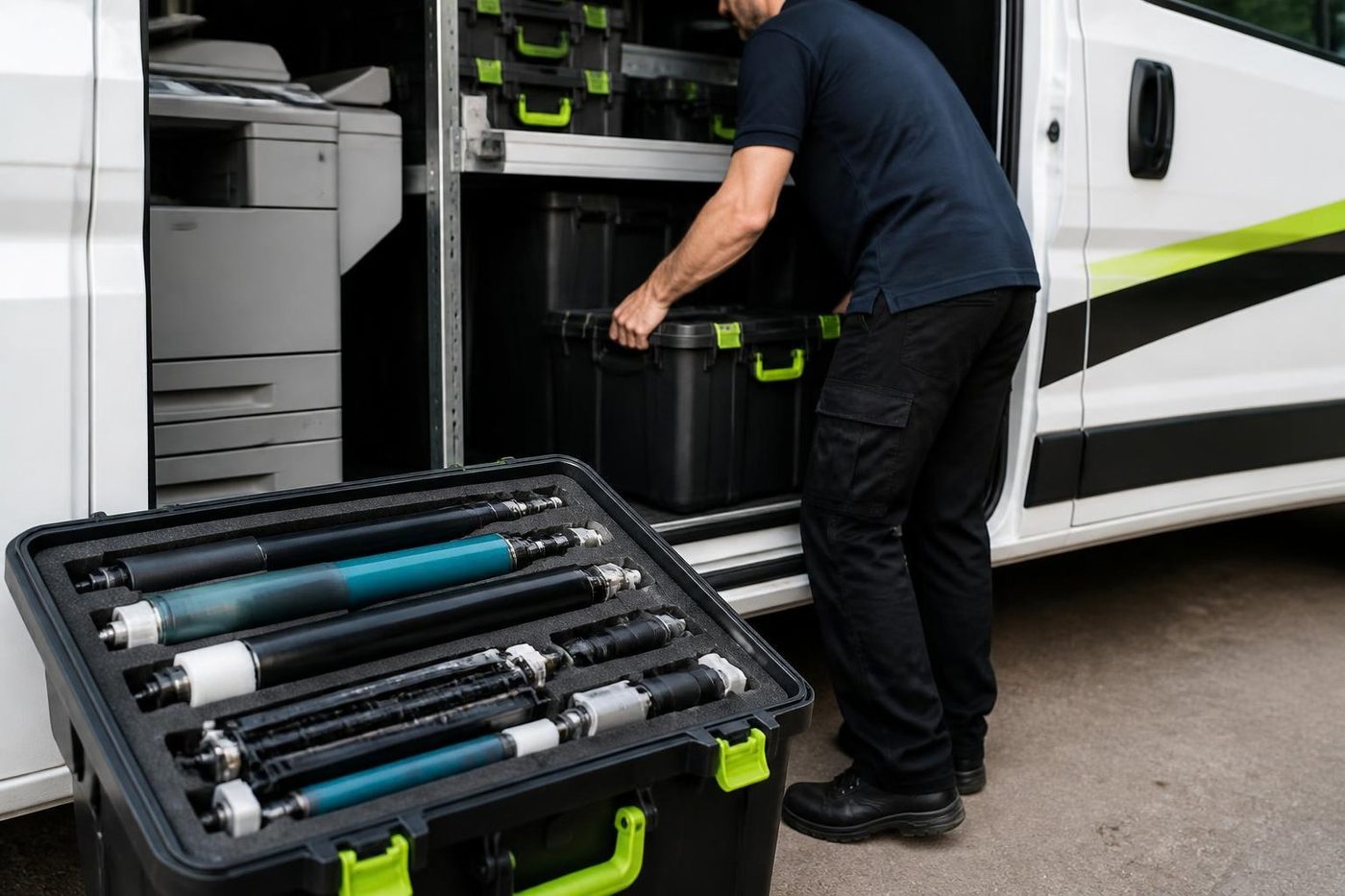
Parts on the van
The right part has to be in the van
A one visit repair only happens if the part is on board. We carry the common wearing items for the makes we see most, Toshiba and Kyocera above all: drums, fuser units, pickup rollers, cleaning blades, waste toner containers.
Because we also buy and sell machines we see which parts fail early on which models, and that shapes what rides in the van.

- Common spares carried. Most jobs finish without a wait.
- Ordered on proof. Not on a hunch.
- Fitted once. And warranted.
From our news
Toshiba e-STUDIO error codes explained, and when to call for help. Which codes you can clear yourself, and when a technician should take over.
What the Ricoh and Toshiba changes mean for your Toshiba photocopier. The combined copier development, explained in plain English.
Keep reading around Brisbane
 Toshiba e-STUDIO error codesCall for Service and a C code on an e-STUDIO.
 Refurbished Toshibae-STUDIO AC models, tested, warranted and set up.
 Kyocera repairsTASKalfa copiers and ECOSYS printers, repaired on site.
 Toner smearing and fuser faultsToner that rubs off, ghosting and fuser trouble.
 Scan to email not workingScans that never reach an inbox or a shared folder.
 Brisbane CBDQueen Street to Eagle Street, William Street to Roma StreetAcacia Ridge and ArcherfieldAcacia Ridge, Archerfield, Rocklea, Coopers Plains and Salisbury
 Printer and photocopier repairsCopiers and printers repaired at the desk where they broke.
Buy, sell and lease
Buy, sell and lease commercial copiers in Brisbane
We also sell new and refurbished commercial copiers and buy used ones. Same team, same technicians.

From the van to the machine


Questions people ask us on the phone
Do you offer Toshiba photocopier repairs at our premises in Brisbane?
Yes. Your e-STUDIO is repaired where it stands, whether that is an office, a depot or a shed, and the price is settled by phone beforehand. Same day service is available, so ring early and say what has stopped.
Why does my Toshiba keep coming back with the same Call for Service code?
If a code comes back after a restart, treat it as a real fault and not a glitch. Write the code down in full, every character, and phone us with the model. You will hear which part of the machine it points toward and what the repair is likely to take.
What do the letters AC and A on an e-STUDIO mean?
AC marks a colour machine and a bare A marks black and white. A colour machine has four toners and a transfer stage, so faults often show in one colour. A mono machine has fewer parts to check.
Toner rubs off my Toshiba printouts. Is it the toner?
Usually the fuser, or the paper type setting. The setting and the paper get checked first, then the belt, lamp, thermistor and connectors. A fuser is only fitted when the evidence says it is needed.
Scan to folder stopped working on my e-STUDIO. Is the machine faulty?
Frequently not. Folder credentials expire, shares move and server names change. A test from the machine comes first, then the SMB settings in TopAccess, and your IT contact is told exactly what to confirm.
Do your technicians carry Toshiba parts?
Yes. Fuser units, drums, cleaning blades, feed and pickup rollers and waste toner containers are carried on the van. Other parts are ordered after the cause is confirmed, not before.
My finisher will not staple. Do I need a new one?
Very rarely. A staple jam, an empty or poorly seated cartridge, a door switch or a loose connection beats a failed board as the likely cause, and we check those first.
Can you service an old e-STUDIO that is out of production?
Yes, as long as parts can still be had. If a repair would cost out of proportion to the machine's age you will hear it from us honestly, and we can talk you through a refurbished replacement if you want to compare.
How do I find the model of my Toshiba if the badge has worn off?
Check the serial number plate, which sits on the back or behind the front cover. Read us the serial and we can work out the model. The information screen on the panel usually names it too, under device information.
Is it worth servicing a Toshiba that is more than ten years old?
Frequently, yes. What matters is parts and the pattern of faults, not the calendar. A steady old machine with one worn roller is a good repair. One failing in four places in a year is a conversation about replacing it.
Are you a Toshiba dealer?
No. We are independent. Toshiba machines are what we repair, and we separately buy and sell commercial copiers, and our repair advice does not change because we have machines on the floor.
Something odd on the panel
Read us the code
A code is a pointer, not a verdict. We work out what it points to and quote you before we move.
Send the code
Printer service Brisbane, from one desk printer to a whole floor
Copier and printer repairs across Brisbane
Fault guides
- Copier and printer faults Brisbane
- Photocopier paper jams Brisbane
- Copier black lines and streaks Brisbane
- Copier error codes Brisbane
- Copier not printing Brisbane
- Scan to email not working Brisbane
- Toner smearing and fuser faults Brisbane
- Printer offline and network faults Brisbane
- Copier noise, grinding and squealing Brisbane
- Is my copier worth repairing Brisbane
- Toshiba e-STUDIO error codes Brisbane
- HP LaserJet error messages Brisbane
- Kyocera TASKalfa error codes Brisbane
Makes we work on
- HP printer repairs Brisbane
- Kyocera copier repairs Brisbane
- Fujifilm copier repairs Brisbane
- Xerox copier repairs Brisbane
- Canon copier repairs Brisbane
- Ricoh copier repairs Brisbane
- Lexmark printer repairs Brisbane
- Brother printer repairs Brisbane
- Epson printer repairs Brisbane
- OKI printer repairs Brisbane
- Zebra printer repairs Brisbane
- Konica Minolta copier repairs Brisbane
- Sharp copier repairs Brisbane
- Fuji Xerox copier repairs Brisbane
Suburbs and districts we cover
- Printer service Inner West Brisbane
- Printer service Brisbane CBD
- Printer service Milton, Toowong and Inner Brisbane
- Printer service Centenary Suburbs
- Printer service Ipswich Corridor
- Printer service Logan
- Printer service Brisbane Northside
- Printer service Acacia Ridge and Archerfield
- Printer service Toowoomba
- Printer service Eastern Suburbs and Airport Precinct
- Printer service Southside: Sunnybank and Mount Gravatt
- Printer service Redcliffe and Moreton Bay
- Printer service Redlands, Capalaba and Cleveland
- Printer service Caboolture, Morayfield and the North
- Printer service Fortitude Valley and Newstead
- Printer service Indooroopilly, Toowong and Kenmore
- Printer service Springfield and Ripley
- Printer service Ipswich, Booval and Amberley
- Printer service Beaudesert and the Scenic Rim
- Printer service Lockyer Valley and Gatton
- Printer service Beenleigh and Yatala
- Printer service Bribie Island and Moreton Bay
- Printer service Carindale and Camp Hill
- Printer service Wynnum and Manly
- Printer service North Lakes, Strathpine and Petrie
- Printer service South Brisbane and Woolloongabba
- Printer service Logan Central and Browns Plains
- See every Brisbane area
Got the make and the fault? Send those two things and we will price it.
Got a code? Send it over
Even a rough description works: noise, smell, streaks, jams. We work out the rest on the call. Our number is (07) 3073 5255.
