Where Sharp copiers sit around Brisbane
A colour MX or BP stands next to the accounts team on a CBD floor. A mono unit works through the day in a records room at a government agency. A small A4 desktop machine serves a reception counter in Milton. Engineering and construction firms on the northside often add a finisher at the side and a drawer unit underneath.
Repairs happen on site. That means mechanical wear, faults on the boards, and the network and login settings that decide whether a scan arrives where it should. Nothing is posted away, because the machine is repaired where it stands.
Ours is an independent service business: no Sharp badge, and no claim to be an authorised agent. Commercial machines are something we trade in too, which helps when a Sharp has run its course, though that talk stays separate from the repair.

Reading a Sharp model name
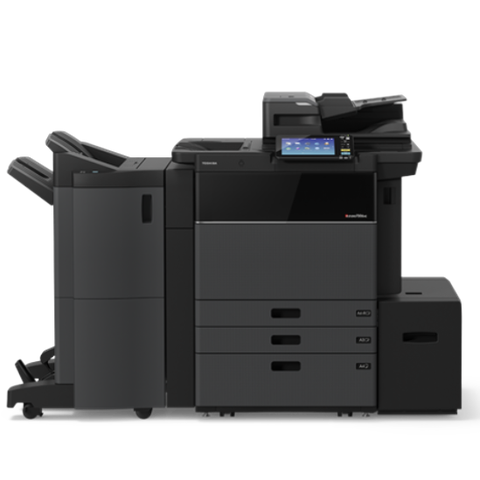
Two Sharp lines reach Brisbane offices. The older multifunction family is MX, and the current one is BP. Colour or mono shows in the name: C for colour and M for mono, which makes the MX-3071 colour and the MX-M3071 black and white. The final two digits sit close to the speed in pages a minute.
Take the BP-70C range first: 31 pages a minute at the BP-70C31, rising to 65 at the BP-70C65. The BP-60C offers the 31, 36 and 45, and the BP-50C begins at 26 and climbs to 65. Each has a 10.1 inch colour touchscreen, handles paper up to SRA3, and holds 650 sheets as standard, expandable to 6,300 with optional trays. Smallest of the A3 group is the BP-30M28, a mono unit rated at 28 pages a minute with a 100 sheet feeder.
Over on the MX side, the MX-M3071 is a 30 page mono machine with a 150 sheet feeder, and the MX-M6071 runs at 60 for heavy volume. Sharp's European page lists the MX-M3071 as no longer available, so it mostly lives in offices that bought some years ago.
Sharp series we repair
Quote the full model name when you phone, because options and parts change from one series to the next.
| Family | Machines | Usual setting |
|---|---|---|
| MX 71 colour | Three machines: MX-4071, MX-3571 and MX-3071. They are A3 colour with a touchscreen of 10.1 inches, and the BP-70C line has replaced them. | Department floors and mid sized offices. |
| MX 71 mono | Five machines, from the MX-M6071 down through the M5071, M4071 and M3571 to the MX-M3071. | Print rooms and high volume copying. |
| BP-50C | BP-50C26 up to BP-50C65. | Offices that want A3 colour. The faster models suit busy workgroups. |
| BP-60C and BP-70C | BP-60C31, BP-60C36 and BP-60C45, then BP-70C31 up to BP-70C65. | Larger workgroups and heavy scanning. |
| BP-30M | BP-30M35, BP-30M31 and BP-30M28. | Small offices that want A3 mono in a compact frame. |
| MX C A4 colour | MX-C357F, MX-C303W and MX-C301W. | Front counters and small teams. |
What sets a Sharp apart
A Sharp stores a lot: address books, user accounts, held jobs. A copier that stalls at power up, refuses a correct password or forgets its address book is as likely to have a storage or board problem as a worn part. The mechanical side still takes plenty of our time: motors along the paper path, the fuser, and the waste toner route, with the L codes naming the motor that is struggling.
A finisher adds risk. Fit a stapling or saddle stitch unit and a Sharp has more that can go wrong than the copier alone. Clearing staple jams and refilling staples is staff work at the panel, and they manage it. If the finisher stops communicating with the copier, we examine the unit and its connection, and a large capacity tray gets the same treatment.
Parts in the fuser run hot and wear out, but a fuser is not condemned because the panel hints at it. Testing comes first, with connectors and temperature sensors checked, and then you learn whether the part or the harness is the culprit. A part you did not need is a part you do not buy.
The assemblies that fail on a Sharp
A short list accounts for most Sharp calls. For each, this is what the person at the desk tends to see.
- Fusing unit: copies that smear, crease or rub off, or an H code. Suspects are a thermistor, heater lamp, thermostat, harness or interlock switch.
- Drum and waste toner path: streaks, marks and a grey tint. Leave a waste toner box too long and packed toner can load the drum drive. On the MX-3071 one documented case produced L4-17.
- Transfer belt: banding, speckle and ghost images on colour machines.
- Motors in the paper path: a jam that returns the moment it is cleared, or noise around the exit, reverse, duplex and transport areas, normally with an L4 code.
- Boards and storage: a machine that stalls on power up, an address book that has disappeared or a sign in that is refused suggests firmware, EEPROM or storage.
- Drawer and large capacity tray: a tray that will not rise, or a desk unit that has lost contact with the copier.
- Document feeder: skewed or double fed originals and black marks on the scan.
A guide to Sharp service codes
Every Sharp code has a letter, a number, a dash and a sub code, and the letter alone narrows the search. A means firmware and ROM. C means charging. E means storage and image data. F is for finishers and sensors, H for fusing temperature and L for motors and fans. U covers stored data, trays and desk units.
Read what follows as a place to start. Meanings move between models, and a single code may have several causes.
H4-02 is a low temperature fault at the fuser, and on the model we checked it could be the thermistor, the heater lamp, the thermostat or a connector. On the MX-3071, L4-17 is a drum drive motor load fault, and one case was linked to a full waste toner box. Fans and motors in the paper path run as follows: process fan L4-51, paper exit motor L4-75, reverse motor L4-76, duplex motor L4-77 and transport motor L4-79.
ROM errors are A0-01 and A0-02, often left behind when a firmware update was interrupted by a power loss. A0-10 is a colour profile error caused by mismatched firmware, A0-19 says the machine failed to boot, and C1-10 is a main charger error on black.
In the U family, U2-05 relates to account data, and U2-30 to control board data that stopped matching after a board swap. Storage and authentication data faults are U2-41 and U2-50. For the MX-3071, U2-40 appears as an eMMC system storage error, though other sources word it differently and we confirm at the machine. Tray lift and desk communication faults on large capacity units are U6-23 and U6-52, while U6-54 and U6-55 say the copier and the tray unit are running mismatched firmware.
Messages that come before the code
For the MX-3071 and MX-4071 family, Sharp's troubleshooting guide begins with ordinary messages: load paper, clear a misfeed as shown, change the toner cartridge, swap the waste toner box, look at the staple unit, refill staples, or empty the finisher compiler. Staff can handle every one of those.
A technician is needed when the panel says Call for service and shows a code. Sharp's advice is to switch off and on, and if the code keeps coming back after a few attempts, to stop using the machine, pull the plug and ring a service company. Models differ, so each code is checked against yours, because one code can mean quite another thing elsewhere.
One more warning from the guide is worth repeating. Leave the main power alone whenever the job status display, in the top right corner of the touch panel, shows any colour but grey, because the hard drive can be damaged. People are tempted to flick the switch when a machine hangs mid job, so wait for the display to settle.
Older analog Sharps use a different vocabulary. The manual we read for the AR-5316 and AR-5320 says a steady CH points to an open front or side cover, while a blinking CH points to a toner cartridge that has not seated properly. Few remain in use, though some still run in back rooms.
Parts that wear, and what a visit covers
Wearing parts on a Sharp include the fusing belt unit, transfer belt unit, drum, developer, waste toner container and charger, plus the feed motors and drive motors, with storage devices and fans ageing alongside. Page coverage, paper and room conditions set the pace, so we do not quote lives in advance.
A visit tracks a sheet from the tray to the exit. The path is cleared and inspected, the feed and separation parts are tested, and the fuser area gets a look. We examine the drum and the waste toner route, run the document feeder, and read the machine's history to see whether any code keeps repeating. Should a code survive a restart, the options are explained before anything is fitted.
Scanning and sign in problems on a Sharp
Plenty of Sharp calls involve no failed hardware at all. A mail platform change stops scan to email, a destination folder moves, or staff are refused at the panel.
On the BP series, sending through Microsoft 365 can use OAuth 2.0 against smtp.office365.com, port 587, STARTTLS. Getting there takes an app registration holding the SMTP permission, a mailbox with authenticated SMTP enabled, and a token that is fetched at the copier itself. Basic SMTP authentication is being retired by Microsoft, which means older machines and older settings are the first to fail.
Mail is only part of it. Our Sharp work also covers scanning to a network folder, sign in against a directory (LDAP, Active Directory and Kerberos), cloud connections through Sharp OSA, and the security side: encrypted storage, data overwrite, SNMP v3, 802.1X, TLS and HTTPS. Sharp also lists syslog audit logging for the BP series.
Finishers and options
The add ons that turn a copier into a finishing station need the exact model to be sure they fit.
- Inside the machine: the MX-FN27N inner finisher, which has a three hole punch option.
- Larger finishers: stacking staple units MX-FN30 and MX-FN28, and saddle stitch units MX-FN31 and MX-FN29, with matching punch units.
- Trays for the right side, the centre and job separation.
- Extra drawers and large capacity cabinets. A BP-50C or BP-70C can have its paper capacity extended well beyond the standard trays.
- Depending on the series, fax, storage and wireless options can be added.
The Sharp that forgot everything
Of all the calls we take on Sharp machines, the strangest are the ones where nothing is physically broken. The address book has vanished. A password that worked yesterday is refused. Held jobs are gone. The copier prints a test page happily and the staff are convinced it has been wiped by a gremlin.
A Sharp keeps a great deal in its storage: accounts, destinations, settings, jobs. When that storage or the control board stumbles, the machine behaves as if it has lost its memory. The U2 family of codes sits in this territory, with different numbers for account data, board data that no longer matches after a board change, and storage faults. The machine's own report is where we begin, then what changed recently, and from there it is firmware, a storage repair or a talk about restoring settings from a backup.
Backups are the thing nobody has. If your Sharp holds an address book that took somebody a week to build, ask us how to export it. It takes minutes and it turns a disaster into an inconvenience.
Power cuts and the A0 family
Queensland storms cut power at inconvenient moments. Most of the time a copier shrugs and starts again. Occasionally the cut comes while the machine is writing to its own memory, and that is when the A codes get born. Two ROM errors, A0-01 and A0-02, often follow a firmware update that was cut short. A0-19 means the machine could not boot at all.
The sensible habits are boring. Do not switch the copier off at the wall while the job status display is anything other than grey. Do not start a firmware update in the middle of a storm. If power drops and the machine will not start again, leave it off and ring us, because repeated attempts to switch it on do not help a corrupted ROM and can make it worse.
We say what we find in plain words. A boot failure with a good board and a bad update is a very different bill from a boot failure that needs a new board.
BP machines on admin floors
The BP-50C and BP-60C are the machines most Brisbane admin floors have now. A colour A3 copier that scans fast, with a 10.1 inch screen that looks like a tablet and a long list of apps and shortcuts. Accounts teams use them for invoices and statements. HR uses them for onboarding packs. Everyone uses them for scanning contracts to a folder.
Because they are so heavily used for scanning, the problems often belong to the network and the sign in more than to the engine. A scan lands in the wrong place. Staff are asked for a code they never had. The machine is slow to wake. We look at the scan destination, the directory the machine uses for sign in and the time settings before we look at the mechanics. Where a part turns out to be needed, we name it and explain why.
The A4 desktop Sharp
Small MX C machines such as the MX-C301W, the MX-C303W and the MX-C357F end up on reception counters, in small practices and in the corner of an architect's studio. They are light, they are quiet, and they are usually looked after by whoever is nearest.
Their faults are simple. Pickup rollers wear, trays are loaded with whatever paper is handy, and a toner cartridge is changed with the cover half shut. A short path means a curled sheet shows up as a jam at once. Keep the paper flat and the covers clicked closed, and a machine like this can run for years. When it does stop, a quick description on the phone usually tells us whether the visit will be short.
Waste toner, and the box that is left too long
Of all consumables, the waste toner box is the one people ignore. The panel tells you it is nearly full. Somebody notes it. A fortnight later the machine stops. If the box is left long enough, packed toner can build up and add load to the drum drive, which is how one documented case on an MX-3071 produced an L4-17 code.
The cure is boring. When the message appears, change the box and do not wait. If the machine has already stopped, tell us what the panel says. We check the drum drive turns freely and the waste path is clear before the machine is started again, because forcing a loaded drive tends to make a cheap job expensive.
Drawers, large capacity trays and desk units
A Sharp with a desk unit or a large capacity tray holds a lot of paper and has one more thing to go wrong. The tray will not rise. The copier says the unit is not connected. A U6 code appears. The lift motor, a connector and the firmware that links the unit to the copier are all possibilities, and U6-54 and U6-55 in particular say the two do not agree on firmware.
We test the unit with the copier and on its own, check the connectors and the lift, and only then think about firmware. If the paper stack was overloaded past the mark, that is a common cause and an easy one to prevent.
Sharp in council offices, schools and building firms
Sharp has a good run in places that buy on a panel or a tender. Councils, schools, health services and construction firms on the northside have a lot of MX and BP machines. They are usually bought in a batch, installed the same week and aged together, which is why one fault in one machine is often followed by the same fault in the next.
That pattern is useful. When we repair one fuser or one feed roller in a batch bought together, we say so, and we look at its neighbours before they fail. A planned visit is cheaper than three unplanned ones, and a school that loses its copiers on day one of term has a long fortnight.
Builders add another twist. A site office with dust, a ute full of rolled plans and a copier on a trestle table. Dust gets into the feeder and the paper path, and the remedy is a good clean plus some tidying. We have no objection to arriving at a site shed.
Sharp calls around Brisbane
Around Brisbane the BP-50C and BP-60C are common on admin floors, the BP-70C and MX-M6071 turn up in print rooms and records areas, and the BP-30M suits smaller offices wanting A3 without the footprint. Council offices, schools, medical practices and builders on the northside run all of these, and a fair number of them have been in the same cupboard since the lease was signed.
Storm season matters for a machine that stores so much. A power cut halfway through a firmware update is how an A0 code is born. If a storm has passed and the machine will not boot, tell us exactly what the panel shows.
If a Sharp has had its day, we can talk through a refurbished replacement or buy the old one from you. The repair advice does not change because of it.
Your Sharp, from the van doors to the last test page




A trader sees the whole life
We know which models soldier on
Because we buy and sell machines we know which models run for years and which turn up on every second job sheet. That knowledge goes into repair advice as well.
The work is warranted, and so is any machine we sell.

- Repair options first. Replacement second.
- Plain about age. No upsell on a machine with years left.
- Warranted either way. Repair or replacement.
Keep reading around Brisbane
 Refurbished SharpMX and BP machines, wiped, tested, warranted and set up.
 Copier error codesHow to read a code and what to note down.
 Scan to email not workingScans that never reach an inbox or a shared folder.
 Toner smearing and fuser faultsToner that rubs off, ghosting and fuser trouble.
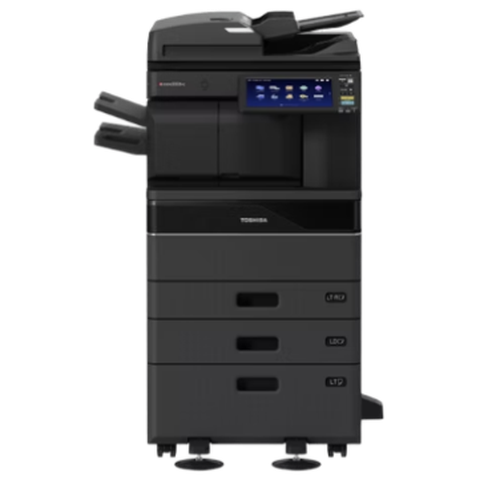 Toshiba repairse-STUDIO colour and mono copiers, fixed where they stand.Milton and inner BrisbanePark Road, Rosalie, Toowong and the inner ring
 Brisbane northsideChermside, Nundah, Virginia, Geebung, Brendale and Strathpine
 Printer and photocopier repairsCopiers and printers repaired at the desk where they broke.
Buy, sell and lease
Buy, sell and lease commercial copiers in Brisbane
We also sell new and refurbished commercial copiers and buy used ones. Same team, same technicians.
Jobs we have been on around Brisbane

Questions people ask us on the phone
Do you repair Sharp photocopiers on site in Brisbane?
Yes. Same day service is available for MX and BP machines, repaired at your premises, and the price is settled by phone before a booking.
What does H4-02 mean on a Sharp?
The fuser is not reaching temperature. A thermistor, a heater lamp, a thermostat or a connector could be the cause, so we test before fitting a part.
Why does my Sharp show an L4 code?
L codes point at motors and fans. On the MX-3071, L4-17 is a drum drive load fault that was once traced to a full waste toner box. L4-75 to L4-79 cover the exit, reverse, duplex and transport motors, and we find out which one is labouring.
My Sharp forgot its address book. Is it a hardware fault?
It can be. A storage or board problem can wipe stored data, and U2 codes cover account and control board data. We check storage and firmware, and we say what can be restored.
Our scan to email quit after Microsoft changed something. What now?
Basic SMTP authentication is being retired by Microsoft. On the BP series, OAuth 2.0 sending is an option, using an app registration, an authenticated mailbox and a token obtained at the panel. Older machines may need other settings.
Is it safe to switch my Sharp off if it is stuck?
No, not while the job status display in the top right corner of the touch panel is showing anything but grey, because the hard drive can be damaged. Give the display time to settle, then switch off and on.
Does a Sharp MX 3071 still get serviced?
Yes. We service machines that have been replaced by newer lines, and tell you honestly if the parts situation makes repair poor value.
Do you carry Sharp spares?
Yes, the parts that wear most are carried on the van, and that is behind the 98% of jobs finished on the first visit. Anything else is ordered after the cause is confirmed.
Can I back up my Sharp address book?
Yes, and we recommend it. Ask us how to export the address book and settings. The export is quick, and it spares you a week of rebuilding should storage ever fail.
What does U6-54 mean?
It says the firmware on the copier and on the large capacity or desk unit do not match. We check the unit, the connections and the versions, and sort out which one needs updating.
Are you Sharp authorised?
No. We are independent, we are not Sharp, and we claim no authorised status.