How an LED head differs from a laser
A laser printer paints its image with a beam that bounces off a spinning mirror. An OKI puts a fixed strip of tiny LEDs over each drum and exposes a full line at once, which means no scanning mirror exists to stick or slow. OKI says that gives the design fewer moving parts, and the field record agrees.
The catch is proximity. The head sits very near the drum and its lens collects toner dust. A thin white or coloured line down every sheet makes the lens the first thing to clean. OKI's manual says wipe gently with soft tissue and keep methyl alcohol and thinner away, as they can harm the head. A line that survives cleaning means the drum or the head, and we test both before replacing either.
Drums come with their own caution. OKI says an image drum should not sit uncovered in strong light, and should not be out for more than five minutes even in ordinary room lighting. Put a printer beside a west facing window with afternoon glare and that rule starts to matter.

The page tells you more than the panel
On an OKI, look at the printed sheet before you read the panel. A fine line down every page, a grey wash or a mark that recurs in the same place each name a different suspect. A page that stays clean up to the fuser and then smudges is a different case from one that was weak from the start.
Keep a bad page, or photograph one, and note the tray and the job. We can then say what the cause usually is while still on the phone, and the technician comes with the part that fits.
OKI ranges and where they wear
OKI names its LED printers by letter. On the Australian OKI site the families currently listed are the C650dn, C834nw, C911dn, Pro9542dn, B433dn, B513dn and MC554dnw, though older ES series colour machines such as the ES9541 are still about. If yours is not named, ring with the label details.
- The C series (C650, C834, C911) is colour LED in A4 and A3, used for quotes, proposals, drawing extracts and brochures. Drums, the belt, the fuser and feed rollers wear.
- Pro9542 is the production colour LED, found in print rooms, signage and short runs. Drums, the fuser, transfer parts and the specialty toner stations are what wear.
- The ES9541 is an A3 colour LED from the earlier ES series, still in workgroups and design departments. It wears drums, belt, fuser and paper feed.
- The MC554 is a colour multifunction for small offices that print, copy and scan, with drums, fuser and feeder rollers wearing.
- B433 and B513 are mono LED printers for invoices, dockets and reports, wearing the drum, fuser and feed rollers.
- Microline machines are dot matrix impact printers for multipart carbon forms. The ribbon, head pins, platen and tractor feed are the parts that go.
Which OKI names are current
The letters tell you the line: C for colour, B for mono, MC for the colour multifunction and Pro for production. On OKI Australia's product list as we read it on 3 October 2026, the colour printers are the C650dn, C834nw, C911dn and Pro9542dn, the mono printers are the B433dn and B513dn, and the single multifunction is the MC554dnw. The Pro1050 is a label printer.
Speeds first. Compact A4 colour describes the C650, which runs to 35 pages a minute. The C834 is a compact A3 colour printing up to 36, while the C911dn is A3 colour with a top speed of 50. A compact A4 multifunction, the MC554dn does 32 a minute and scans, copies and faxes. Around Brisbane the C650 and MC554 end up on trade counters and in small offices, with the A3 C834 and C911 in design and print rooms.
Plenty of machines in the field have dropped off the list. On OKI Australia's pages the MC853dn and the ES8473 MFP carry a discontinued tag from December 2025. The MC853dn is an A3 colour multifunction at 23 pages a minute on A4, with 300 sheets as standard and room for up to 935. The ES8473 stands on the floor or a desk, is also an A3 colour multifunction, and prints 35 a minute on A4 with a 250 GB drive. Both use four LED heads. Offices still run them, and we still repair them.
Number groups on an OKI
OKI sorts its messages into groups. On OKI's own troubleshooting list for the colour machines, the 300s cover installation and covers: a fuser or image drum seated badly, say. Paper size, feed and memory fall in the 400s. Toner and drum sensing belong to the 500s. After that, the 600s are about how much drum life is left and consumables the machine will not accept.
A number in one of those groups need not mean a dead part. A drum that is simply not seated can read as a drum fault. We read the code against the model first, then go and look at the machine.
Messages in plain words
All of these come from OKI's message lists, with one caution. On the list we used, the 400s hold both paper size and toner empty, so treat the groups as a guide and not a rule. On some machines a HELP button shows more detail whenever the display tells you to see Help. Press it before you ring, then read us what it says.
Message 310 is a cover that is not shut properly. Close it. If the message stays after the cover is closed, the cover switch comes next. The range 380 to 389 means a jam under the drum or fuser, and OKI tells you to open the output tray and take the paper out, after which we check the path under the drum and fuser and the feed rollers behind it. A 400 is a paper size error, where the sheets loaded do not match the size setting, so we check the setting, the tray guides and the driver.
Wear parts, in the order we look at them
On colour models the image drums come first, one for each colour, and a worn drum shows as a grey tint, streaks and spots. Fusing is heat and pressure, so creases, toner that rubs off and heat messages send us to the fuser. On colour machines a belt moves the image on to the paper, so banding, colour shifts and repeating marks trace back to it. Feed and pick rollers cause multiple sheets or none. The LED lens is cleaned first and replaced only if cleaning fails.
Microline dot matrix machines still at work
A Microline strikes through carbon, so every copy of a form carries the same mark, and that keeps these machines in pharmacies, council depots and freight offices. A column of pins hits an inked ribbon against the paper. Four parts take the wear: ribbon, head pins, platen and tractor feed.
One sticking pin leaves a broken character or a row of missing dots, and a worn platen gives uneven print across the page. Ribbon jams and a noisy carriage are the usual complaints. OKI lists the Microline 1120, 1190, 3410, 4410 and several more as discontinued, with support ending over the coming years, for example 31 March 2028 for the 1120 and 1190. We service them where we reasonably can.
Network, drivers and scanning
Colour OKIs speak PCL 6, PostScript 3 and PDF, which means network trouble usually lies with an address, a driver or a port rather than the printer. A printer found at 10.0.1.40 yesterday that does nothing today has often been handed a new address by the router. And a driver update on one PC can leave a single desk stranded.
On the MC multifunctions, scan to email leans on correct mail server settings and a working login, and a Microsoft 365 change can break an old setup without warning. We watch what the machine actually does instead of guessing. We do not supply firmware downloads.
Where an OKI departs from a laser
A colour OKI has four LED heads and four drums, and drum, fuser and belt each have their own life message, with a second warning when the fuser or belt is due. Diagnosis is easier than on some makes because the message names a part. It also means warnings can arrive in a bunch, and we do not fit parts just to match them.
When a code shows for something that appears to be installed, seating, a sensor or a lever is more likely than a dead part, and we rule those out before anything is replaced.
OKI printer repairs for warehouses, trade counters and offices
The OKI has a place in the jobs where the print is a tool and not a showpiece. Along the industrial strips of Rocklea, Acacia Ridge, Archerfield and Eagle Farm, a mono OKI is usually next to the dispatch desk turning out delivery dockets and labels. Workshops and trade suppliers on the southside and in Logan lean on colour A4 machines for quotes and job sheets. Colour multifunctions handle proposals and plans in Milton, Toowong and CBD offices.
A Brisbane summer is hard on printers. A warehouse at Hemmant or Eagle Farm in a humid January, or a dispatch office without air conditioning, bakes toner and dries ribbons. Dust blown in through roller doors settles on LED lenses and feed rollers, and we allow for that. In the CBD and Milton we ask about lift and dock arrangements and settle them with your building manager first.
The OKI nobody notices until it stops
OKI machines tend to live where printing is a means to an end: a dispatch desk, a parts counter, a pharmacy back room, a freight office with a stack of carbon copies to produce. They are often left alone for years, and nobody thinks about them until a streak appears or a message nobody has seen before comes up.
That history helps and hurts. It helps because the machines are sturdy and the faults are usually ordinary wear. It hurts because nobody has looked at the machine for a long time, so when it does fail several parts may be due at once. If that is the case we say so, and sort out what is urgent from what can wait.
Mono, colour and form printers are three different jobs
An OKI office may own three kinds of machine without realising it. A mono LED printer prints invoices, dockets and reports. A colour LED printer prints proofs, labels or a small run of marketing. A dot matrix prints multipart forms. They share a brand and little else.
Tell us which one you mean when you ring. A dot matrix has a head, a ribbon and a platen, and is repaired with a ribbon and a head. An LED machine has drums, a fuser and a belt, and is repaired with consumable parts and a calibration.
Replacing an OKI or moving it
Sometimes an OKI is not worth the repair, and we tell you when. Replacement machines for commercial use are on the office printers for sale page, and one that still has value may be a machine we would buy. When the OKI is going to the new premises with you, the relocation page explains how we prepare and reinstall machines.
Across the region
We fix mono and colour OKI printers, the LED machines that print labels and forms among them, at the customer's premises over Brisbane, Ipswich, Logan, the northside, Moreton Bay and Toowoomba. That takes in Redcliffe, Caboolture, the Redlands, Bribie Island and the road south as far as the edge of the Gold Coast. A job in the outer suburbs is scheduled into a day with other machines nearby.
The technician carries common spares, and our work is warranted, with the terms explained by phone. We are an independent service business and not OKI. Other makes we look after are listed on the commercial printer repairs page.
Cleaning an LED lens the right way
The lens sits just above the drum, and the cleaning is gentle. Switch off, let the machine settle, lift the cover and wipe the lens strip in one pass with soft tissue. OKI's manual warns against methyl alcohol or thinner, which can damage the head, and against pressing hard. Most offices want to know whether they can do this themselves, and the answer is yes, once, carefully. If the line is still there afterwards, stop and ring.
A lens that is wiped repeatedly with the wrong cloth scratches, and a scratched lens leaves a permanent line. We would sooner you called us after one attempt than after five.
Image drums: light, hands and the five minute rule
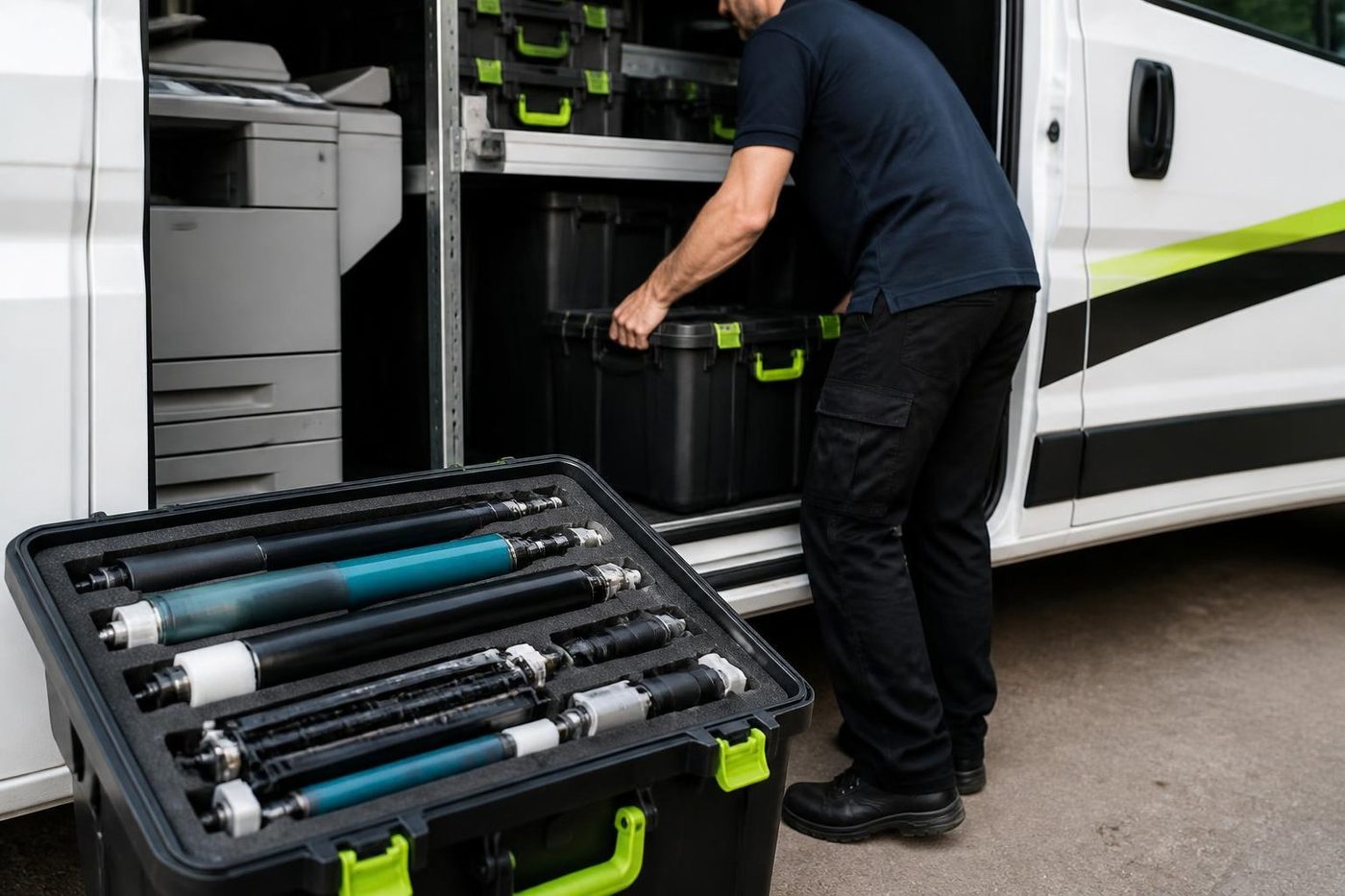
The surface of an image drum is photosensitive, and OKI advises against leaving one uncovered in strong light or for more than five minutes, even with ordinary room lighting. The damage adds up, and it stays invisible until a page shows it. Our drums stay wrapped between the van and the machine, and we ask that nobody pulls one out and leaves it on a desk while hunting for a spare.
Four drums sit in a colour machine, and a fault in one shows as a tint or a streak in its own colour only. Colour streaks that match one drum are easy to trace. Streaks in all four colours point at something shared: the belt, the fuser or a sensor.
Belt units and the repeating mark
On a colour OKI the belt carries the image from the drums across to the paper. If it wears or picks up a mark, each page shows a faint repeating pattern at a fixed spacing, and that spacing is how a technician tells a belt from a roller. A creased belt or a print of skin oil is enough. We hold belts by the edges and work on a clean surface, with the machine off and cool for the replacement.
A second warning often follows a belt or fuser message, and the machine counts both. We do not fit a part because a message has appeared. The page is looked at first, and the part follows the evidence.
Changing a ribbon on a Microline
Impact printers are simple, and a ribbon change is something an office can do. The cassette comes out, the new one goes in and the ribbon is advanced until it sits properly between the head and the platen. The common mistakes are a ribbon twisted on its way in and a head left too close to the platen after a paper change.
If characters are faint on one side of the page only, the platen or the head gap is the suspect. If a column of dots is missing, it is a sticking pin. We bring pins and ribbons for the models still in common use and tell you honestly when a machine has reached the end of its supported life.
Mono B series for dockets and invoices
The B433dn and B513dn are plain mono workhorses. They print invoices, dockets, delivery notes and the stack of paperwork that sits beside a dispatch desk. They are not exciting and they do not need to be. The failures that come up are the ordinary ones: a worn feed roller, a drum near the end of its count, a fuser that has had a hard few summers.
Because these machines are left alone, the best advice is boring. Set the printer where dust cannot reach the lens strip, leave the paper in its wrapper until needed and clean the feed rollers the first time a jam appears. That alone adds years.
Why several warnings can arrive together
An OKI that has run for years often shows a drum, fuser and belt message close together. The parts were fitted together and wore together, so they tire together. It looks like the machine is asking for the lot, and sometimes it is. We read each warning against the pages, say which part is urgent and which can wait, and give you a price for each option so you can decide whether to fit one part now or all of them.
Your OKI, from the van doors to the last test page




Belts and rollers
Handle it like glass
The transfer belt looks like black plastic film and behaves like a pane of glass. One crease or one print of skin oil and every page carries a faint repeating mark that nobody can explain until the belt comes out again.
Rollers get the same care: wiped with the right cloth, fitted square, turned by hand before power goes on. Customers notice the tidiness before they notice the fix.

- Edges only. Belts are lifted, not grabbed.
- Clean bench. Parts never sit on the floor of the copy room.
- Turned by hand. Rollers are checked before the machine is switched on.
Keep reading around Brisbane
Commercial printer repairsWorkgroup and desktop laser printers, colour lasers and label printers, repaired at your premises. Plotter serviceHP DesignJet, Canon imagePROGRAF and Epson SureColor plotters, repaired at your premises.
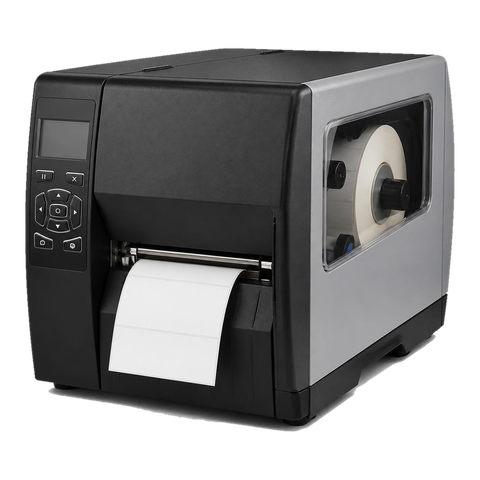 Zebra repairsZebra desktop, industrial and mobile label printers, repaired at your premises.
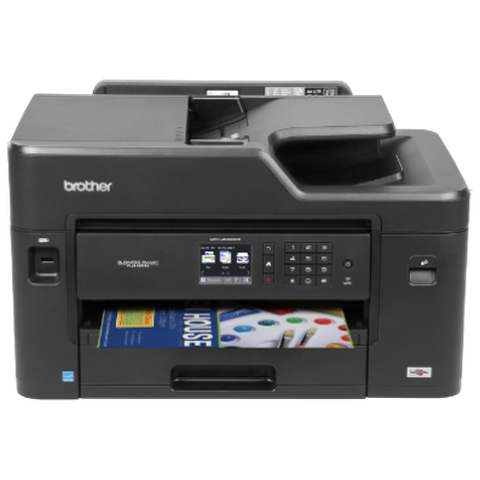 Brother repairsHL and MFC business lasers, colour MFCs and A3 inkjets, repaired at your office.
 Acacia Ridge and ArcherfieldAcacia Ridge, Archerfield, Rocklea, Coopers Plains and Salisbury
 Relocation and setupCopier moves, installation and network setup, tested before we leave.Office printers for saleCommercial laser and multifunction printers.
Buy, sell and lease
Buy, sell and lease commercial copiers in Brisbane
We also sell new and refurbished commercial copiers and buy used ones. Same team, same technicians.
Shirt sleeves and parts cases


Questions people ask us on the phone
Do you repair OKI LED colour printers?
Yes, and mono LED machines and MC multifunctions as well, at your premises across Brisbane.
Do you work on OKI dot matrix printers?
Yes. Microline impact printers still run in pharmacies, depots and freight offices, and we service them where we reasonably can. OKI has set end of support dates on several models.
Why does my OKI print a line down every page?
The LED head lens is the first suspect. OKI says to wipe it softly with tissue and keep methyl alcohol and thinner off it. Should the line remain, we move to the drum or head and test before replacing either.
What does a three digit message on my OKI mean?
The numbers fall into groups. Covers and installation come in the 300s, the 400s deal with paper, the 500s with toner and drum sensing, and the 600s with drum life and consumables the machine will not take. Tell us the number and the model, and we say what it is pointing at.
My OKI shows 310. What is that?
A cover is not shut properly. Close it. If the message stays after that, the cover switch is what we look at next.
What does 410 mean on an OKI?
It sits in the paper size and feed range, although the lists we read also put toner empty in the 400s. We match the exact number to your model before giving an answer.
Is the OKI MC853 or ES8473 still made?
OKI Australia lists both as discontinued from December 2025. Many offices still run them and we repair them.
Can you fix the printer or do I have to post it?
The repair happens where the printer sits. Nothing goes in the post and your settings stay put.
Do you repair OKI printers outside the city?
Yes. We cover Ipswich, Logan, Moreton Bay, the Redlands, Bribie Island and Toowoomba, and outer jobs are scheduled into the day.