Buy photocopier Brisbane: the page count comes first
Before brands, before colour, before anybody mentions a finisher, we ask for a monthly page count. Most offices guess high. A fair number have never looked, because the machine they own has been there since the last move and nobody opens the meter screen. If you can find the total on the panel today and again in a month, the difference is your number.
That figure decides the speed class and the duty rating, and the duty rating decides how long the drum, fuser and feed parts last. A machine sold for a light office and then pushed through a heavy one is a roller replacement every few months. A machine bought far above need costs more to buy, takes up more floor and sits idle.
We would rather sell you the right size than the big one. Once the machine goes in, the same technicians who sold it are the ones who service it, so a wrong recommendation lands back on our own diary.


Five things to settle before you ask for a quote
These are the questions we run through on the phone. Ten minutes on them saves a second conversation later.
- Pages a month, black and white and colour counted separately if you can.
- Paper sizes. If A3 turns up once a month for a roster, a good A4 machine and an occasional trip elsewhere may be cheaper. If it turns up weekly, buy A3.
- What it must do besides copy: scan to email, scan to a shared folder, two sided printing, stapling, a card or PIN before a job releases.
- Where it will stand. Floor standing machines are heavy and need clear space on the left and front for covers and trays.
- How you want to pay: outright, rent, lease or short hire.
With those five answers we put forward one or two machines and say why. If a second hand or ex demo machine would do the job for less, we say that as well.
What we see from the repair side
We are independent. We are not the maker of any machine we sell and we are not a branded dealer, so the recommendation is built from what turns up in our own service diary. We supply Toshiba, Kyocera, Canon, Ricoh and HP commercial machines, with Brother for the smaller offices, and most of the talking is about how each behaves a few years in.
Toshiba e-STUDIO machines suit people who want a large, readable touchscreen and a lot of finishing choice. Kyocera is the make we point heavy printing offices towards, because the drums are long lived and the cost of a page stays low. Ricoh is a strong all rounder with good scanning, which matters in practices that scan more than they copy. HP brings familiar colour printing and sound security settings for offices that already live in the HP world.
None of that is a rule. It is where we start the conversation, and the page count and the floor plan can change it.
Office photocopier Brisbane: what usually fits which office
A rough map, from jobs we have been on. Your own office will not match a row exactly, and that is fine.
| Who you are | Where we usually start | The catch |
|---|---|---|
| Four or five people, one printer worth of work | A compact A4 multifunction, mono or colour | Speed you will never use is money wasted |
| Allied health or dental clinic | Colour A3 or A4 multifunction with secure release | Patient scans leave through email, so set up matters |
| Accountants and bookkeepers | A3 mono or colour with a quick two sided feeder | March and September pile jobs into a few weeks |
| Architect, engineer or draftsperson | Colour A3 with good paper handling, sometimes a plotter beside it | Heavy stock and colour accuracy |
| School office or small council depot | Fast A3 with finisher and release at the machine | Bursts at term start and end |
| Builder or site office | A sturdy A4 or A3 multifunction | Dust, heat and a door that stays open |
| Warehouse or depot | Mono multifunction in the office, label printers on the floor | Duty cycle and a paper path that gets dirty |
Tell us which row is closest and what is different, and we adjust from there.
Getting a big machine into a Brisbane building
A floor standing copier with a finisher is not small, and it does not tilt. Before delivery we ask about the route from the loading point to the spot where it will stand: a goods lift or a passenger lift, steps at the front of an old Queenslander, a doorway that was fine for a desk, a corner with a tight turn. We also ask about anything the building expects, because some do and some do not, and the call is the time to find out.
Then the machine is placed, levelled and connected. The network is the job people underrate, and it gets its own section below.
Network, mail and folders before we leave
A copier that prints from one computer and nothing else has not been installed. We put the print driver on each machine that needs it, set scan to email through your mail system, set scan to folder with the right permissions, and set up user codes or PIN release if the office wants them. Then we test each from a real computer, standing at the machine, with the person who will use it.
Mail systems change. If you moved to a new mail provider this year, tell us before the day, because the scan to email settings depend on it. If nobody can tell us the folder path or the login for a shared drive, we will say what we need and leave it written down.
Humidity, storms and the power
Brisbane does odd things to office equipment. Paper left in an open cupboard takes up moisture through summer and feeds badly, and a machine in a back room with no airflow collects dust on the glass. The storm season brings brownouts, and a copier that was fine on Friday can show a fault on Monday because the power dipped over the weekend.
A new machine is no exception. We suggest a decent surge protected power board where the room allows, sealed paper stored flat, and a spot out of the window glare where the afternoon sun hits. These are small things and they cost almost nothing.
New, ex demo, second hand or reconditioned
New is not always the best buy. An ex demo machine is near new with light use and often suits an office that wants a current model for less. Reconditioned machines are inspected, serviced, have worn parts replaced and are tested before sale. Used machines are pre owned and tested. Each has its own page on this site, and the honest answer for a lot of small and medium offices is not the newest one in the catalogue.
The machines we sell are warranted, new or otherwise, and we explain what is covered on the phone before you decide. We do not print terms or figures here, because the right answer depends on the machine.
Paying for it
You can buy outright, rent over 24 to 36 months, lease over 36 to 60 months, or hire for under 12 months. Each fits a different business. A start up with an uncertain print volume is often better with a rental. An office that likes to own its equipment buys. A project office that closes in October hires.
We give a figure on whichever route you choose and we do not print prices on the site, because the number depends on the machine and the term.
The old machine
If a copier is going out as the new one comes in, tell us early. We take trade ins and we buy used commercial machines you own, and we erase the internal drive before anything leaves your office. A leased machine usually belongs to the finance company, so check the agreement before you promise it to anyone.
After the sale
The technician who comes when the new copier needs attention is trained, experienced and certified, carries the common spares and finishes 98% of repairs on the first visit. Same day service is available. If the same fault returns we fix it again at no charge.
Deliveries cover greater Brisbane, from Ipswich and the Scenic Rim edge in the west to Redcliffe, Caboolture and Bribie Island in the north, then across to the Redlands and out to Toowoomba. Ring (07) 3073 5255 and say where the machine is going. A busy line gets the call logged and returned.
A trader sees the whole life
We know which models soldier on
If a machine is finished we say so in plain words, and only talk about a replacement after the repair options are laid out.
The work is warranted, and so is any machine we sell.

- Repair options first. Replacement second.
- Plain about age. No upsell on a machine with years left.
- Warranted either way. Repair or replacement.
Keep reading around Brisbane
 Printer and photocopier salesNew, used and refurbished commercial machines, with finance, lease, rental and hire.
 A3 photocopiers for saleA3 copiers and multifunction machines.
 Ex demo photocopiersNear new copiers with light use.
 Lease, rental and financeLease, rent or hire, with service from our team.Photocopier trade inYour old copier counts toward the next one.
 Office printers for saleCommercial laser and multifunction printers.
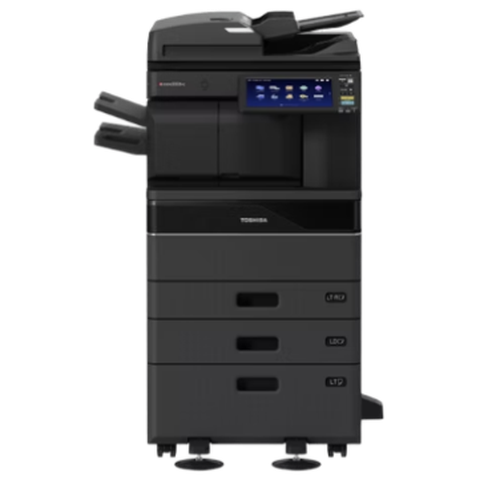 Toshiba repairse-STUDIO colour and mono copiers, fixed where they stand.
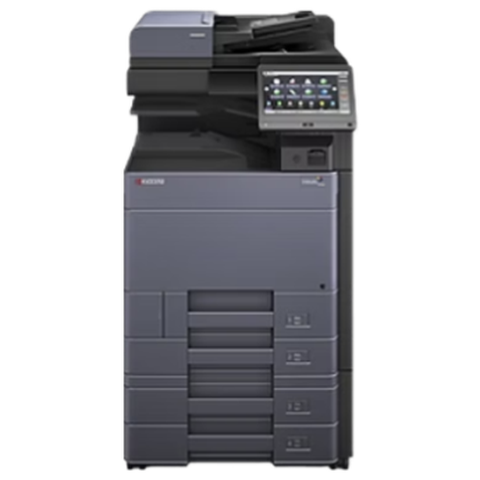 Kyocera repairsTASKalfa copiers and ECOSYS printers, repaired on site.
Buy, sell and lease
Buy, sell and lease commercial copiers in Brisbane
We also sell new and refurbished commercial copiers and buy used ones. Same team, same technicians.
Jobs we have been on around Brisbane



Questions people ask us on the phone
How do I know what size copier my office needs?
Find the page total on the machine's meter screen, wait a month and read it again. The difference is your monthly volume, and that sets the speed class and duty rating we recommend.
Do you sell new photocopiers in Brisbane or only repair them?
Both. We sell new commercial photocopiers and multifunction machines, deliver them, set them up and look after them afterwards.
Which brands can I choose from?
Toshiba, Kyocera, Canon, Ricoh and HP for commercial machines, with Brother for smaller offices. We are independent, so no one maker steers the advice.
Is a colour copier worth it if we print mostly black and white?
Often, yes. Most offices use colour for proposals, reports and plans. Set the default to black and white and people choose colour only when they need it.
Will you set up scan to email and scan to folder?
Yes. We configure both, set up user codes or secure release if you want them, and test from a real computer before we leave.
Are the machines you sell warranted?
Yes. We explain what is covered on the phone before you decide.
Can I trade in my old machine against a new one?
If you own it, yes. We value it, agree a figure on the phone, collect it and erase the drive.
Do you sell home inkjet printers?
No. We deal in commercial machines for businesses.
Can I rent instead of buying outright?
Yes. Rental runs 24 to 36 months, lease 36 to 60 months, and hire is under 12 months.