Nobody rings about a platen roller
What reaches us is a symptom. Labels with white lines running through the barcode. A dock scanner that refuses to read them. A flashing red light with a picker standing by holding a trolley. We work back from there to the part.
Ring with the brand, the model and a description of what the printer is doing, and price is the next thing we cover. You do not need a part number, because the sticker under the printer tells us enough.
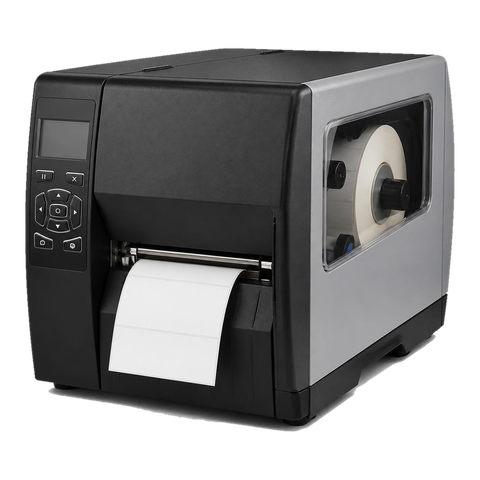

Calls we get about Zebras
The same handful keep coming round.
- Barcodes that read on Monday and fail by Wednesday.
- One white stripe down each label, often burnt dots in the head.
- Blank labels, or three blanks and then a stop.
- Ribbon creasing that leaves a ghost line across the print.
- A printer that appears on the network and then does nothing with the job.
- A red light that will not clear even with the cover closed.
Zebras in the sheds and counters of Brisbane
Racking fills the industrial strips at Rocklea, Acacia Ridge, Archerfield and Wacol, and almost every receiving desk has a desktop Zebra on it. Across the river, the Eagle Farm, Pinkenba, Hemmant and Murarrie corridor around the airport and the port handles freight, pick and pack and import work where a stopped printer costs a shift.
The media sensor collects dust before anything else does. When it cannot see the gap between labels, the printer pushes out a whole label plus a bit, which is the textbook symptom. Brisbane humidity piles on more trouble: stock stored in a damp shed curls, loses its grip and feeds badly, and a printer sitting by an open roller door on a summer afternoon runs hot.
Hospitals, pathology labs and pharmacies print wristbands and specimen labels around the clock on small printers that busy staff wipe with alcohol. That suits the head and is hard on some plastics. Distribution centres and food packers label cartons bound for chillers, where condensation and cold media show up as poor adhesion and fading print.
Zebra families and where they wear
Models come and go at Zebra, so read this as a rough map and ring if yours does not appear.
| Family | Where we find it | What wears first |
|---|---|---|
| ZD411, ZD421, ZD621 | Benches, counters, packing desks | Printhead and platen roller, then a grubby media sensor or the latch |
| GK420d and GK420t | Older desktop units that many sites still run | Printhead, platen roller, thermal media sensor |
| LP2844 and TLP2844 | Back rooms, long past Zebra's own discontinuation | Printhead, roller, plastic parts, serial or USB ports |
| ZT411 and ZT421 | Warehouse and factory floors, where the earlier ZT410 has been replaced | Printhead, platen roller and ribbon spindles, plus drive belts and the media sensors |
| 110Xi4 | Plants and big dock operations, an older heavy generation | Printhead and roller, with wear in the rewind and ribbon drive |
| ZQ520, ZQ620, ZQ630 | Belts and hands of drivers and ward staff | Battery first, then printhead, roller, cover latch and the contacts in the cradle |
| ZC series | Reception desks printing ID badges and access cards | Printhead, cleaning roller, feed rollers |
Reading a Zebra model name
The first two letters of a Zebra model give the family: ZT for industrial, ZD for desktop, ZQ for mobile and ZC for card. The digit after that sets the series, which is why the ZT411 and ZT421 sit under ZT400 while the ZD411 and ZD421 belong to ZD400, with the ZD621 alongside.
According to Zebra the ZT411 handles labels up to 4 inches across in either thermal mode, at 203, 300 or 600 dpi, and options include a peeler, a cutter, a liner take up and a full rewind. The ZT421 shares its technology and connectivity.
In Brisbane a ZD tends to sit on a counter or a bench. A ZT stands in the dispatch bay and runs all shift. The repair logic is the same for both: head, roller, sensors and settings first.
Direct thermal and thermal transfer
With direct thermal the label itself is coated and darkens under heat, so there is no ribbon at all. Thermal transfer works by heating a ribbon so ink melts onto the label. Whatever you have loaded, the printer's setting has to agree with it. Transfer mode with no ribbon reports ribbon out, and on some models a ribbon fitted in direct thermal mode raises a ribbon in warning.
Ribbon creases only happen in transfer printing. The usual causes: the ribbon wound on crooked, a spindle that sticks, a ribbon narrower than the label, or pressure from the head that is not even. Our check covers the path, the pressure and the roller, and we show whoever loads it how to keep the ribbon running straight.
The lights we read
Zebra publishes its status lights model by model, so a colour on a ZD421 can mean something else on a GK420. Take these as pointers, not diagnoses, because we confirm with a test before we quote a part.
A steady green is a printer that is on and idle. Red flashing points to no media, no ribbon or a cover that is not shut, and the remedy is fresh supplies and a firm close. Flashing amber on the GK series is a printhead over temperature, and printing resumes after cooling. A double flashing green means paused, and the feed key restarts it. Green and red alternating on the GK series is flash memory that was never programmed, which needs service.
Screen models spell the same things out. Media out is often a sensor or a calibration question and not an empty roll, and a Cut error says the blade is bound and a technician is needed.
Screen messages in plain words
Wording here is taken from Zebra's guide for the ZT411 and ZT421, and the printhead temperature alerts were compared with the guide for the ZD421 and ZD621.
Head Open says the head is not fully down, so press it shut. If the message stays, the latch is next, then the open sensor, and Zebra itself says a failed sensor needs a technician. Ribbon Out on a transfer job says the ribbon is missing, loaded the wrong way or unseen by its sensor. Ribbon not detected, with the ribbon right, calls for a calibrate or a restore to defaults.
Media Out means the stock is gone or is not threaded along the documented path, and even a full roll can trigger it. A media path obstruction is misloaded or jammed stock, and Zebra mentions labels that have wound themselves round the platen roller. Printhead Over Temp stops printing until the head cools, then carries on by itself; Zebra recommends moving the printer out of the sun or a warm spot, or running it slower. Printhead below operating temperature is the cold version, for chilled docks and cold stores.
Cutter blade in media path says the blade is stuck, and the steps are to switch off, unplug, look for debris and clean. Insufficient memory says the label format is bigger than the printer can hold, so we look at the format first.
Why a Zebra fault is often a setting and not a part
Go back over those messages and a pattern shows. Many concern what the printer has been told, not what has worn. A ribbon warning when a ribbon is fitted may just mean the job is set to direct thermal. Media out beside a full roll can be a sensor that wants calibrating. A printer upset by a change of settings feels broken and prints odd labels while nothing is worn, so we calibrate and check mode and stock before we touch the head.
When a part is to blame it is usually the head, and heat is its enemy. Zebra's advice for Printhead Over Temp is to keep the printer out of direct sun. In a Brisbane shed with the roller door up and the west sun streaming in, following it genuinely helps. Do not swap a head by feel. Residue can pass for burnt dots, and a gummed up cutter can pass for a dead one, so we test first and then report what we found.
Wear parts, roughly in the order they go
The head goes first and costs most: burnt dots show as white lines, and rough or abrasive stock shortens its life while the correct wipe on a cool head makes it last. A platen roller that has glazed or gone flat in one spot brings skewed feeding, pale patches and drifting labels. Sensors pick up dust, adhesive and ink, and it is common for a clean to cure what looked like a failed part.
On industrial models, drive belts and gears let you know by noise and by slipping. Cutters and peelers jam with adhesive. On mobile printers the battery dies mid shift.
Calibration, ZPL and the label that prints in the wrong place
If labels creep along, or the printer swears the media is out with a roll sitting in it, calibrate the sensors to the stock that is really in the machine. Gap, continuous and black mark stock each look different to a sensor, so the printer needs to know which one it has. Turning the darkness up costs head life and turning it down mimics a failing head.
Zebra printers take ZPL, with older ones on EPL. When a label lands at the wrong size, or off to one side, the driver or template is more often to blame than the hardware. Zebra Setup Utilities and Link OS, on current models, give us the printer's configuration, network settings and firmware to read, and let us hold a healthy printer up against a sick one.
The stock matters more than the printer
A label a touch too thick, a ribbon that does not match the label stock, a roll stored on a hot loading dock or a batch with the wrong adhesive can each make a printer look broken. Before blaming the machine we check what is loaded. Where a new batch of labels is behind it, switching stock is the fix, and it costs less than a repair. When that is the answer, you hear it from us.
Looking after a printhead
The printhead is the part that wears fastest and costs most. Dust, adhesive and dirt shorten its life, and so does running it hotter than the label needs. The simplest care is to keep it clean and to set the darkness no higher than the label requires. On a visit we clean the head and the platen and check the settings. Where a head shows burnt dots we say so and show you the test print. After a humid summer on a dusty dock a printer may need cleaning more often than the manual says, and we give you our own suggested interval.
Several printers, several sites
Warehouses, distribution centres and trade suppliers often run several Zebras, sometimes across sites. For those fleets a list helps: where each printer is, its model and what it prints. We group visits by area so a technician looking at one printer can look at the others nearby.
If a printer is mission critical, tell us. Some operations keep a spare. We cannot decide for you how many to hold, but we can say on the phone what we see fail most often.
What is waiting on this printer
We ask it every time: what is waiting? A single printer on a bench at a parts counter is one conversation. A bank of Zebras across a pick and pack floor is another, and the plan for the visit is different. What we can arrange, and in which order, we spell out plainly.
The first step is a phone call, and the price is agreed there. Should the lines be busy, your call is logged and returned. Work happens on site, which means no printer goes in the post and your label stock stays put. A fault that comes back is fixed again free of charge.
Across the region
We look after Zebra label and barcode printers at the customer's site throughout Brisbane, taking in the Acacia Ridge, Archerfield and Rocklea strip, Eagle Farm, Logan, Ipswich and Wacol. The coverage runs on to the northside and Moreton Bay (Redcliffe, Caboolture, Bribie Island), the Redlands and Toowoomba, and down to the Gold Coast border. The technician brings the common spares, the work is warranted, and the phone call explains the cover. Our focus is commercial label printers and not home models. We are independent of Zebra.
Darkness, speed and the head that looks dead
Darkness and print speed are tied together. Set the darkness too high for the label and the head runs hotter than it needs to, which burns dots faster. Set it too low and the print looks faint, and somebody concludes the head is failing. The right setting is the lowest one that gives a clean, scannable print on the stock actually loaded.
We check these two settings on every Zebra visit, and we leave the sheet of settings with whoever looks after the machine. A change of label supplier is a common reason a printer that was fine for a year starts printing pale.
A cleaning routine that costs almost nothing
Clean the printhead with the swab or pen made for the job, on a cool head, and clean the platen roller and the media path at the same time. Dust and adhesive on the sensor cause most of the media out calls, and a sensor wiped with a dry cloth costs nothing. A habit of doing this when the roll is changed beats a repair call every time.
On a dusty dock the interval is shorter than the book says. We tell you what we would suggest after seeing how the machine is used.
Calibrating for the stock you have
Three kinds of stock exist, gap labels, continuous roll and black mark, and the sensors see each differently, so the printer has to be told which is loaded. Whenever the stock changes, or labels start to wander, we recalibrate for what is in front of it. The process is simple and it is skipped more often than anything else, usually because nobody knew it existed.
When a printer reports media out with a full roll, or feeds a label and a bit more, calibration comes before any part is ordered. If it fixes the fault, the visit is short and the cost low.
Clinics, pathology and wristbands
On a ward desk or a pathology bench a small Zebra turns out wristbands and specimen labels from morning to night, and the staff using it are rushed and wipe it down constantly. That is hard on some plastics and good for the head if it is done on a cool machine. The faults that appear are a latch that no longer closes, a platen roller that has glazed and a head with a dead element that leaves a stripe through the barcode.
In that setting a barcode that fails to scan is a patient safety question and not just an inconvenience, so we say plainly when a print is marginal and should be redone, not nursed along.
Chilled docks and cold rooms
Zebra lists a printhead below operating temperature as its own alert, and it appears in cold stores and on chilled docks. Cold media also behaves differently: adhesives stiffen, labels fail to stick and prints fade. The simple fixes are to keep the printer somewhere warmer, let the head warm up and use stock made for the temperature.
We ask where the printer lives on every call. A printer in a Rocklea cold room and the same model on a pharmacy bench are two different jobs.
Mobile printers, batteries and cradles
ZQ mobile printers are carried by drivers, ward staff and field workers, so they get dropped, left in cars and charged inconsistently. The common faults are a battery that no longer holds a shift, a cover latch that has loosened, cradle contacts that have worn and a platen roller that has picked up grit. Whatever can be repaired we repair, and where a new battery or casing costs less than the repair we tell you so.
If a Zebra is critical to your operation
Some operations keep a spare printer on a shelf, configured and calibrated. It is a sensible habit when a label printer is the last step before a truck leaves. We cannot decide for you how many spares to hold, but we can tell you what fails most often and in what order, and we can set the spare up so that swapping it in takes minutes.
The four stages of a Zebra visit




Fuser heat
Respect the hot part
The fuser is the hottest thing in the machine, and in a Brisbane summer it starts the morning already warm. Fit a roller badly or reseat the thermistor carelessly and you get wrinkled pages, toner that rubs off on your thumb, or a code that keeps coming back.
We let it cool, check the rollers and the gap, then fit the part. The same look tells us how much life is left if you are weighing up a replacement.
- Cooled first. Nobody pulls a fuser out hot.
- Checked as a set. Rollers, thermistor and gap, not one part in isolation.
- Honest about age. A tired fuser on a finished machine is a different conversation.
Keep reading around Brisbane
Commercial printer repairsWorkgroup and desktop laser printers, colour lasers and label printers, repaired at your premises.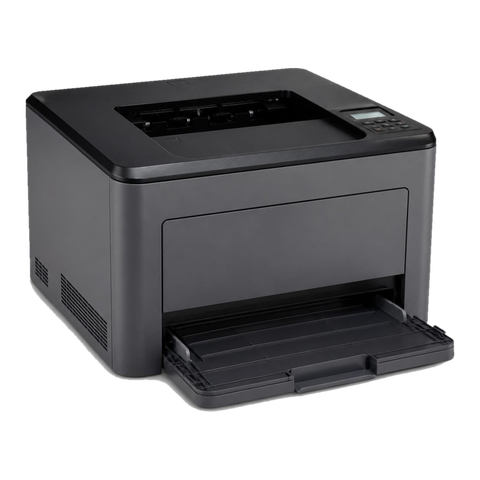 OKI repairsOKI LED colour and mono printers, MC multifunctions and Microline impact printers.
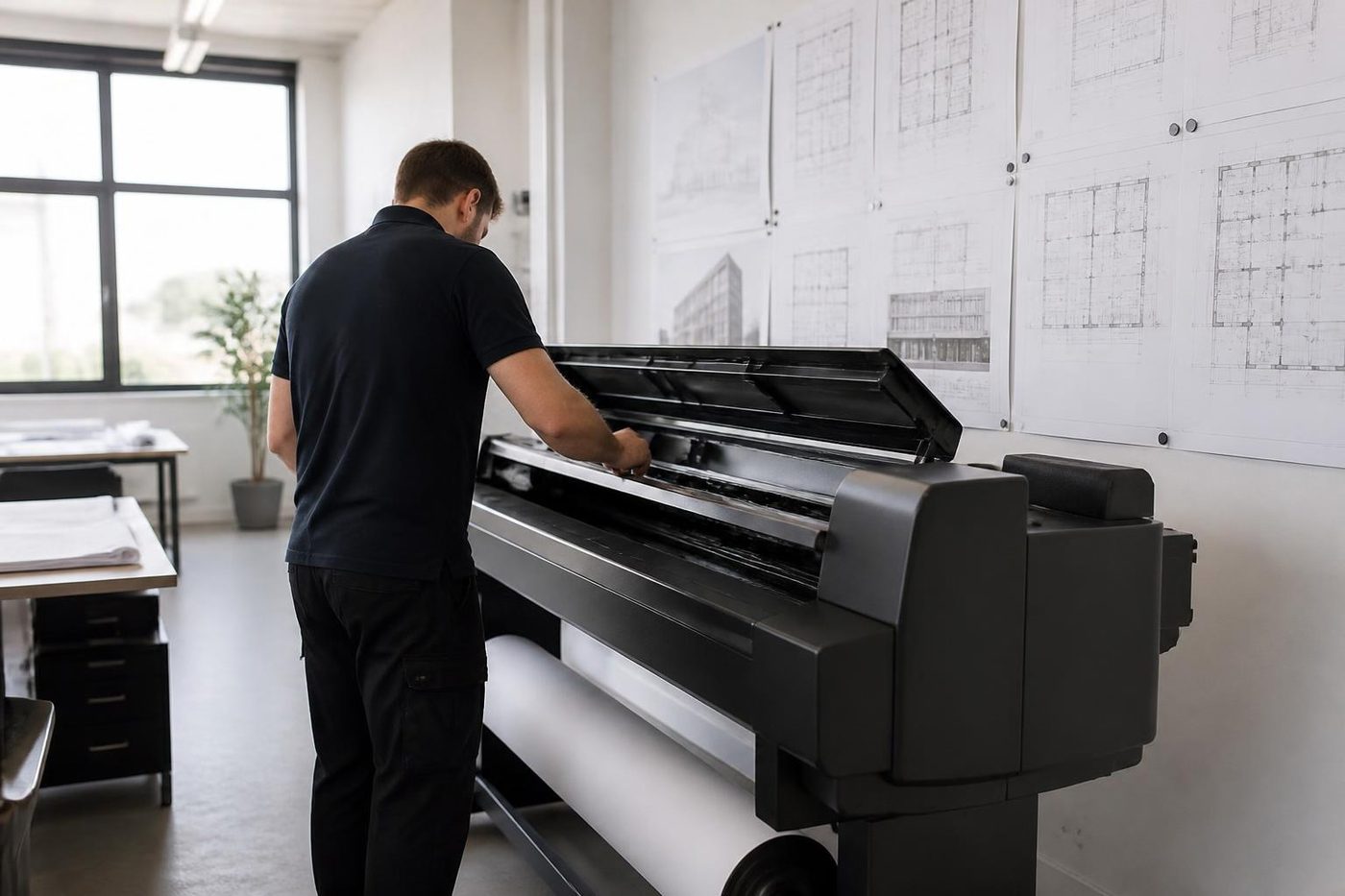 Plotter serviceHP DesignJet, Canon imagePROGRAF and Epson SureColor plotters, repaired at your premises.
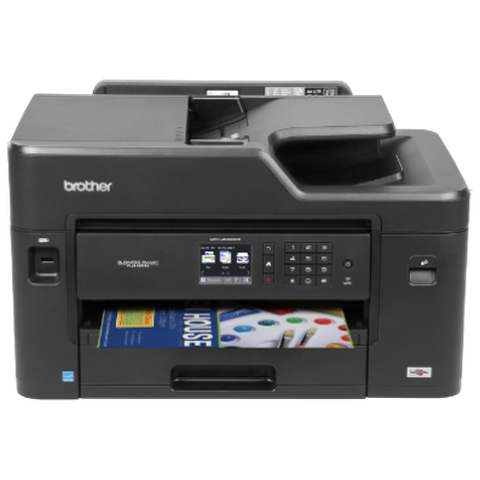 Brother repairsHL and MFC business lasers, colour MFCs and A3 inkjets, repaired at your office.
 Acacia Ridge and ArcherfieldAcacia Ridge, Archerfield, Rocklea, Coopers Plains and Salisbury
 Eastern suburbs and airportHamilton, Ascot, Eagle Farm, Pinkenba, Murarrie, Bulimba and Morningside
 LoganSpringwood, Underwood, Slacks Creek, Meadowbrook and Beenleigh
Buy, sell and lease
Buy, sell and lease commercial copiers in Brisbane
We also sell new and refurbished commercial copiers and buy used ones. Same team, same technicians.

A few recent visits



Questions people ask us on the phone
Do you repair Zebra label printers in Brisbane?
Yes. Desktop ZD and GK printers, industrial ZT models and mobile ZQ units are repaired at your premises.
Why is there a white stripe down every label?
The likely cause is a burnt row of dots on the printhead, or residue sitting on it. A clean comes first, then a test print, before we call the head finished.
The printer says media out but the roll is full. Why?
A sensor needing calibration, or clogged with dust and adhesive, is the usual reason. Zebra treats it as a sensor or calibration matter, so that is where we begin before replacing anything.
What does a flashing red light mean?
Zebra says media or ribbon out, or a cover open. Load supplies, close the cover and ring if it stays red.
Why does the ribbon wrinkle?
Look first at how the ribbon was wound on, whether the spindles turn freely, whether the ribbon is narrower than the label, and how evenly the head presses. Path and pressure are what we check.
Direct thermal or thermal transfer: what separates them?
A direct thermal printer darkens a coated label with heat and uses no ribbon, while thermal transfer pushes ink from a ribbon onto the label. Keep the printer setting in step with what is loaded.
Printhead Over Temp keeps appearing in summer. What can we do?
Zebra's suggestion is to move the printer out of direct sunlight or a warm spot, or to slow it down. Once the head cools, printing picks up again unaided.
Can you fix the older GK420 and LP2844 printers?
Yes, as long as parts can be found. Zebra has discontinued the LP2844, and if a repair would be poor value we say that.
Do you repair Zebra mobile printers?
Yes for the ZQ range, covering batteries, printheads, rollers, latches and cradle contacts.